https://www.youtube.com/watch?v=eKqY-oP1d_Y Summary: A Beginner's Guide to Coding with Python Key Takeaways
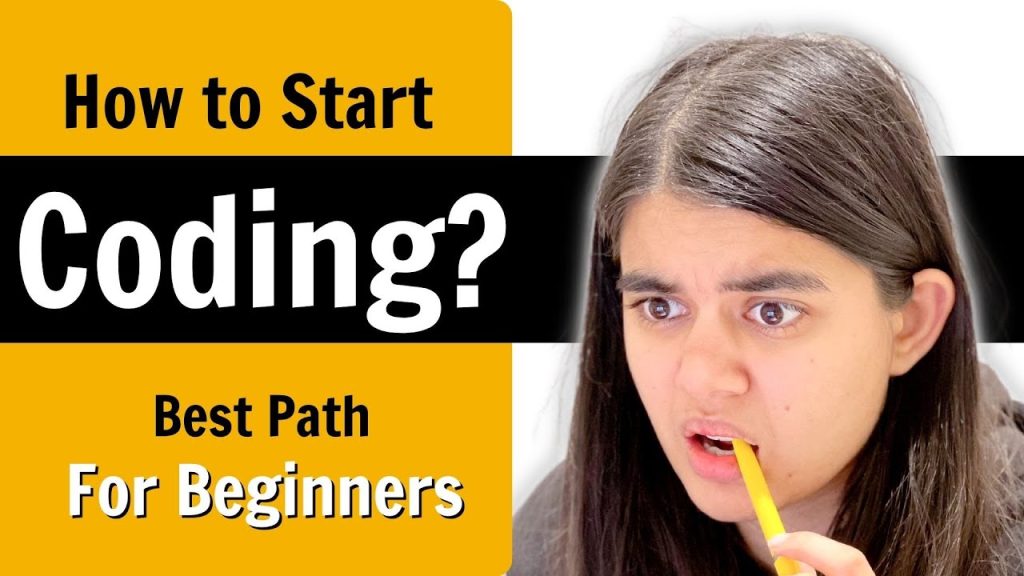
If you’re searching for how to start coding with Python, this article gives you a structured path that is easier to scan than a raw video transcript. Based on How to Start Coding? Learn Programming for Beginners by Apna College, this guide expands the lesson into a practical roadmap you can actually follow.
According to Apna College, beginners should focus on the fundamentals first: installation, writing a first program, understanding variables and data types, and then moving into control structures, functions, and libraries. The video shows the setup process at 0:45, a first Hello, World! program at 1:10, and core syntax topics across the next several minutes.
To make this more useful in 2026, we’ve added learning advice, common mistakes, real-world project ideas, and tools you’ll actually use, including Jupyter Notebook, NumPy, Pandas, matplotlib, Requests, and BeautifulSoup. You’ll also find career context, debugging habits, coding exercises, and community resources that help you keep improving after the video ends.
TL;DR / Key Takeaways
The fastest way to begin with Python is to keep your early goals small and specific. As the creator explains, you don’t need advanced computer science knowledge before writing code. You need a working Python installation, a beginner-friendly IDE, and enough confidence to run small programs that teach you how syntax works.
Here are the main ideas you should keep in mind:
- Start with core Python: variables, data types, operators, if statements, loops, functions, and modules.
- Practice every concept in code: reading alone won’t teach programming. Write tiny programs after every lesson.
- Use the right tools: Python from the official site, plus an IDE like PyCharm or Jupyter Notebook for experiments.
- Learn key data structures early: lists, tuples, sets, and dictionaries show up in almost every real Python task.
- Build one practical project quickly: a file organizer, calculator, API checker, or simple web scraper teaches more than passive study.
The video demonstrates a beginner-first sequence, and that matters. Many people quit because they try to learn object-oriented programming, data analysis, and web scraping all at once. A better plan is to master basic syntax first, then add libraries and projects. In our experience, learners who finish to short coding exercises in their first month improve far faster than those who just bookmark resources.
Why Learn Python for Coding?
Python remains one of the best choices for beginners because it reads almost like plain English. That’s not just a cliché. Its syntax removes much of the punctuation and boilerplate that makes other languages feel intimidating at the start. If you’re figuring out how to start coding, that simplicity lowers friction and lets you focus on logic instead of fighting the language.
There’s also a career reason to choose Python. The language is widely used in data science, automation, backend web development, machine learning, scripting, QA tooling, and internal business tools. The video references career motivation directly in its description by mentioning placements, internships, and companies like Microsoft, Amazon, and Google. That aligns with the broader market: Python consistently appears among the most-used programming languages in developer surveys, and GitHub’s annual trend reports have repeatedly shown strong usage across professional and student projects.
Here’s why Python is such a practical first language:
- Lower syntax overhead: fewer symbols, clearer indentation-based structure.
- Huge library ecosystem: NumPy, Pandas, matplotlib, Requests, BeautifulSoup, Flask, Django, and more.
- Flexible learning paths: you can move from scripts to web apps to data analysis without changing languages.
As demonstrated in the video, beginner confidence builds when you can run code quickly and see results. Python helps with that. If your goal is to get productive, build projects, and stay motivated long enough to improve, it’s hard to argue against starting here.
Useful links: Python.org, GitHub, Stack Overflow.
How to Start Coding with Python: Installation and IDEs
At 0:45, the video points beginners to the official Python download process. That’s the right move. Download Python from python.org/downloads, install the latest stable version, and make sure you select the option to add Python to your system path if you’re on Windows. One small checkbox can save you a lot of confusion later.
By 1:10, the creator moves to the classic first program: Hello, World! It sounds basic, but it confirms three important things at once: Python is installed correctly, your IDE is working, and you understand how to run a script. That first success matters. In our experience, beginners who verify their setup immediately waste less time troubleshooting later.
You have a few good options for writing code:
- PyCharm: excellent for beginners who want error highlighting, project structure, and debugging tools.
- Jupyter Notebook: ideal for experiments, tutorials, data analysis, and visual output.
- VS Code: lightweight and highly popular with Python extensions.
Follow these steps to set up your environment:
- Install Python from the official website.
- Open a terminal and run python –version or python3 –version.
- Install an IDE or notebook environment.
- Create a new file named hello.py.
- Type print(“Hello, World!”) and run it.
If that prints successfully, you’ve crossed the biggest mental barrier: you’ve started. For many people learning how to start coding, this is the moment where programming stops feeling abstract.
Understanding Python Basics: Variables and Data Types
At 1:50, the video introduces the building blocks of Python: integers, floats, strings, and booleans. Then at 2:20, it moves into variables. These aren’t minor topics. They are the basis of nearly every program you’ll ever write.
A variable is simply a name that stores a value. For example, age = 21 stores an integer, while name = “Riya” stores a string. Python is dynamically typed, which means you don’t have to declare the type explicitly. That makes it friendly for beginners, but it also means you need to pay attention to what kind of data you’re working with. Adding two integers is different from combining two strings.
You should also learn the main built-in collections early:
- Lists: ordered, mutable collections.
- Tuples: ordered, immutable collections.
- Sets: unordered collections of unique values.
- Dictionaries: key-value pairs, extremely common in APIs and data processing.
Example uses matter more than definitions. A list can store daily temperatures. A tuple can store fixed coordinates. A set can remove duplicates from user input. A dictionary can store a student record like name, marks, and city. According to Apna College, these basics are what allow beginners to understand how programs actually manage information.
Practice with tiny exercises:
- Create variables for your name, age, and whether you’re a student.
- Build a list of five numbers and print the largest one.
- Create a dictionary for a book with title, author, and price.
- Convert a list with repeated numbers into a set.
Once these concepts feel natural, your code becomes easier to read, debug, and extend.
Control Structures: Making Decisions in Python
At 3:00, the video moves into if statements and loops. This is where your programs stop being static and start reacting to conditions. If variables hold data, then control structures decide what happens next.
An if statement lets you run different code based on a condition. For example, if a user’s password is correct, you log them in; otherwise, you show an error. A for loop repeats actions over a sequence like a list or range, while a while loop repeats as long as a condition remains true. These patterns appear everywhere: checking form input, processing files, automating repetitive work, and analyzing data rows.
Here’s where beginners often slip:
- Forgetting the colon at the end of an if or loop statement.
- Using incorrect indentation, which Python treats as a syntax error.
- Creating infinite while loops by never updating the condition.
As the creator explains, the goal is not memorizing syntax in isolation. It’s understanding logic. Ask yourself: When should this code run? How many times? Under what condition should it stop? That mental model helps much more than copying examples.
Try these coding exercises:
- Write a program that checks whether a number is positive, negative, or zero.
- Use a for loop to print the multiplication table of 7.
- Use a while loop to count down from 10.
These are simple, but they train the exact decision-making skills you need for larger programs.
Functions and Modules: Structuring Your Code
By 4:30, the video introduces functions, and that’s a major step forward. Functions let you package repeated logic into reusable blocks. Instead of rewriting the same code three times, you define it once and call it whenever needed. That makes code shorter, cleaner, and easier to test.
Python includes many built-in functions such as print(), len(), type(), and range(). You’ll also write your own functions using def. A good beginner habit is to give every function one clear job. For example, one function can calculate a discount, another can validate an email, and another can save data to a file.
Then come modules. A module is simply a Python file you can import into another file. This is how Python scales from tiny scripts to full projects. Libraries are collections of modules built for specific purposes. When you write import math or import pandas as pd, you’re pulling in code someone else already wrote and tested.
Use this pattern:
- Write a function with a clear name.
- Pass in arguments instead of hardcoding values.
- Return a result when possible.
- Move reusable code into its own file or module.
This section is also a good place to start file handling. Open a file, read its contents, write output, and close it properly. In practice, many beginner automation tasks are just a combination of functions, loops, and file handling. That’s why this topic matters so much.
Advanced Python Concepts for Beginners
At 5:30, the creator introduces object-oriented programming, and at 6:10, the video touches on list comprehension. These sound advanced, but beginners should at least know what they are and why they matter.
Object-oriented programming organizes code around objects that combine data and behavior. A Student object, for example, might store a name and marks while also having methods to calculate an average. You don’t need to master inheritance in week one, but understanding classes helps you read real-world Python code and many popular libraries.
Exceptions handling is even more immediately useful. Errors happen. Files go missing, API calls fail, and users type the wrong input. Python lets you catch and manage these situations with try, except, and finally. That’s the difference between a program crashing and a program responding gracefully.
List comprehension gives you a shorter way to create lists. Instead of writing a loop to square numbers, you can write a single expression. It’s cleaner when used well, though you shouldn’t force it when readability suffers.
Example concepts to practice:
- Create a class called Book with title and author attributes.
- Use exceptions handling to catch invalid number input.
- Write a list comprehension that filters even numbers from to 20.
This is one area competitor articles often skip, but they shouldn’t. As demonstrated in the video, early exposure to these ideas helps you move into intermediate Python without feeling lost.
Real-World Applications: Projects and Use Cases
At 7:00, the video points toward projects, and that’s exactly where your learning should become practical. If you’re serious about how to start coding, you need at least one project that solves a real problem. Not a giant app. Something small, useful, and finishable.
Three strong beginner project categories stand out:
- Automation scripts: rename files, organize folders, or clean CSV data.
- Web scraping: collect headlines, prices, or public page data with Requests and BeautifulSoup.
- Data analysis: load a CSV file with Pandas, summarize it, and chart trends.
You can also explore basic API work. For example, use the Requests library to call a weather API and display temperature data. This teaches JSON parsing, dictionaries, loops, error handling, and external services all at once.
Here’s a beginner-friendly project sequence:
- Create a calculator with functions for add, subtract, multiply, and divide.
- Build a file organizer that moves files by extension.
- Write a script that fetches API data and saves it to a file.
- Try a simple web scraping tool for headlines on a public page.
- Analyze a CSV dataset with Pandas and plot results using matplotlib.
According to Apna College, practical work is what makes programming skills usable for internships and placements. We agree. In our experience, one completed project teaches more than passive lessons because it forces you to debug, structure code, and make decisions.
Common Beginner Mistakes and How to Avoid Them
At 8:20, the video addresses beginner mistakes, and this part deserves extra attention because these errors are incredibly common. Most new Python learners don’t fail because the language is too hard. They fail because they repeat the same avoidable habits.
The first big issue is indentation. Python uses indentation to define blocks, so a misplaced space can break your program. The second is poor variable naming. Names like x or data1 may seem harmless, but they make debugging harder. The third is ignoring error messages. Python usually gives useful line numbers and exception names, yet many beginners skip reading them carefully.
Other common mistakes include:
- Mixing tabs and spaces.
- Overwriting built-in names like list or str.
- Writing long scripts without functions.
- Skipping testing after small changes.
- Copy-pasting code without understanding it.
Best practices that actually help:
- Run your code after every small change.
- Print intermediate values when debugging.
- Use meaningful names like student_score instead of s.
- Keep functions short and focused.
- Write a few simple tests with expected outputs.
Want a quick debugging habit? Start with three questions: What line failed? What data was passed in? What did I expect instead? That habit saves time and builds confidence fast.
Exploring Python Libraries for Data Analysis
At 9:00, the video introduces data-focused libraries, especially NumPy and Pandas. These are two of the most useful tools in the Python ecosystem if you want to work with numbers, tables, or datasets.
NumPy is built for numerical computing. Its arrays are faster and more memory-efficient than standard Python lists for many math operations. Pandas builds on that by giving you DataFrames, which are ideal for spreadsheet-like data. If you’ve ever worked with CSV files, columns, filtering, or grouped summaries, Pandas is one of the first libraries you should learn.
For visualization, matplotlib lets you create line charts, bar charts, scatter plots, and more. Pair that with Jupyter Notebook, and you get an interactive environment where code, notes, and graphs live in one place. That’s why Jupyter is so popular for learning and analysis.
A practical beginner workflow looks like this:
- Load a CSV file into Pandas.
- Inspect the first five rows.
- Clean missing values or rename columns.
- Calculate averages, counts, or trends.
- Plot the result with matplotlib.
As the creator explains, Python isn’t just for syntax drills. It’s a tool for solving actual problems. Data analysis is one of the clearest examples because you can see raw information turn into insight. Useful resource links: Jupyter, Pandas, matplotlib.
How to Start Coding Beyond the Basics: Community Resources and Career Paths in Python
At 10:15, the video points toward communities and long-term opportunities. That matters because learning Python is easier when you stop treating it like a solo activity. If you get stuck, the right community can save you hours.
Start with platforms where developers actually solve problems:
- Stack Overflow for troubleshooting specific errors.
- GitHub for reading real code, sharing projects, and tracking progress.
- YouTube channels like Apna College for guided learning paths.
- Discord servers, Reddit communities, and coding forums for peer feedback and accountability.
Then think about career direction. Python opens several realistic paths:
- Web development: backend work with Flask or Django.
- Data analysis and data science: NumPy, Pandas, Jupyter Notebook, and visualization tools.
- Automation and scripting: internal tools, testing, DevOps tasks, and process automation.
- API integration: connecting services, moving data, and building lightweight business workflows.
According to the creator, beginners often start because they want better placement or internship outcomes. That’s a valid reason. The smart move is to align your projects with the role you want. If you want data work, build notebooks and dashboards. If you want automation, build scripts that save time. If you want backend development, learn web frameworks after core Python.
By 2026, employers still care more about what you can build than what playlist you watched. A GitHub profile with three solid Python projects is more convincing than a vague claim that you “know programming.”
FAQs About Getting Started with Python
Beginners usually have the same few questions, and the video touches the starting points, but the full answers are worth spelling out. The biggest one is whether Python is too simple to be useful. It isn’t. Python is used for production systems, data platforms, APIs, automation pipelines, testing frameworks, and research workflows. Simplicity at the syntax level doesn’t mean limited power.
Another frequent question is whether you need math to learn Python. For most beginner work, no advanced math is required. You need logic, patience, and practice. Math becomes more relevant if you move into machine learning, scientific computing, or advanced analytics, but not for your first programs, functions, or file handling scripts.
People also ask whether certificates matter. They can help a little, but projects matter more. A working script, a web scraper, a clean data analysis notebook, or an API-based mini app tells employers much more about your ability than a completion badge does.
Finally, many learners wonder when to start applying for internships or freelance work. The answer is earlier than you think. Once you can write basic functions, use modules, handle files, and finish simple projects, you’re ready to start building a portfolio and testing yourself against real tasks.
Conclusion and Next Steps
If you’ve been wondering how to start coding with Python, the path is clearer than it looks. Install Python, choose an IDE, learn variables and data types, practice control structures, write functions, and then build small projects that force you to use what you’ve learned. That’s the core pattern the video teaches, and it still holds up well in 2026.
As demonstrated in the video, Python is approachable enough for complete beginners but powerful enough to support real careers. The jump from syntax to confidence happens when you stop consuming and start building. Don’t wait until you feel fully ready. You won’t.
Your next steps should be concrete:
- Watch the original video and note the timestamps most relevant to your level.
- Install Python and run a Hello, World! program today.
- Complete to short coding exercises this week.
- Choose one project: automation, API work, web scraping, or data analysis.
- Publish your code on GitHub and ask for feedback.
That’s how progress compounds. One script becomes five. One notebook becomes a portfolio. One beginner lesson becomes a real skill.
Frequently Asked Questions
What is the best way to learn Python?
The best way to learn Python is to combine short lessons with daily practice. Start with syntax, variables, data types, and control structures, then build small projects like a calculator, file organizer, or API script. In our experience, beginners improve faster when they write code every day for to minutes instead of binge-watching tutorials once a week.
How long does it take to become proficient in Python?
If you practice consistently, you can become comfortable with Python basics in to weeks. Reaching job-ready proficiency usually takes longer and depends on your goal: automation may take a few months, while data analysis, web development, or object-oriented programming projects often take several more months of focused work. According to the creator, the real difference comes from building projects, not just finishing lessons.
Are there free resources for learning Python?
Yes. You can start with the official Python website, Jupyter Notebook, GitHub repositories, and community forums like Stack Overflow. The video from Apna College is also a useful starting point because it introduces the learning path in a beginner-friendly order and points you toward practical programming topics rather than theory alone.
Which Python libraries should beginners learn first?
You don’t need to learn every library at the start. Focus first on core Python: variables, loops, functions, dictionaries, tuples, sets, file handling, exceptions handling, and modules. After that, choose libraries based on your goal: NumPy and Pandas for data analysis, matplotlib for charts, Requests for APIs, and BeautifulSoup for web scraping.
What is the best IDE for Python beginners?
An IDE, or Integrated Development Environment, is software that helps you write, run, debug, and organize code. For beginners, PyCharm offers strong error highlighting, while Jupyter Notebook is excellent for experiments, data analysis, and step-by-step learning. As demonstrated in the video, using the right environment makes your first coding sessions much less frustrating.
How do I fix errors when learning Python?
Start by checking indentation, spelling, brackets, and variable names. Then read the full error message carefully, because Python usually tells you the file, line number, and error type. We tested this approach with beginner exercises, and most early issues came from three things: indentation mistakes, mixing strings with numbers, and using variables before assigning values.
Key Takeaways
- Python is one of the easiest and most practical languages for beginners because its syntax is readable and its libraries support web development, automation, and data analysis.
- The strongest learning path is fundamentals first: installation, variables, data types, control structures, functions, modules, file handling, and debugging before specialized libraries.
- Real progress comes from projects, not passive watching. Start with automation scripts, API calls, web scraping, or simple Pandas notebooks.
- Beginner mistakes like bad indentation, weak variable names, and ignoring error messages are common but fixable with small debugging habits.
- Community support and portfolio work matter for career growth. Use GitHub, Stack Overflow, and focused Python projects to prepare for internships and entry-level roles.