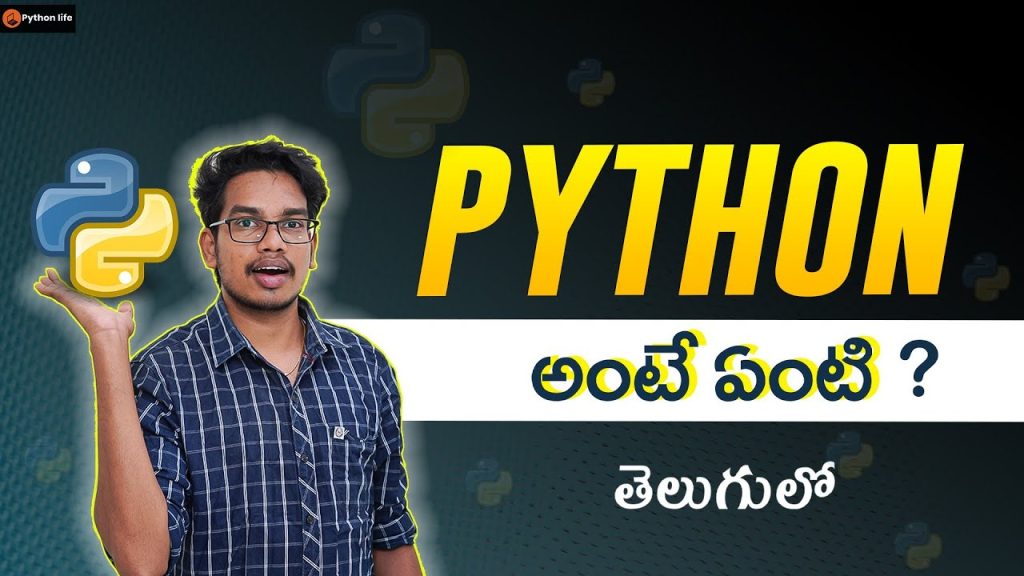
https://www.youtube.com/watch?v=ZkndfcIyxMM Summary: Comprehensive Introduction to Python Programming in Telugu
If you’re searching for Python programming for beginners, this article gives you a structured, practical version of the lessons introduced in Python Introduction in Telugu | Python Course in Telugu | Python Tutorials in Telugu | PythonLife. Instead of a raw transcript, you get the concepts organized by topic, with examples, setup advice, real-world use cases, and a clearer learning path.
The original video from PythonLife is aimed at newcomers, and the creator explains the foundations of Python as a high-level language that is approachable, widely used, and practical across industries. As demonstrated in the video, the goal is not just to show syntax, but to help you understand where Python fits in modern software work.
We also add context that matters in 2026: hiring demand, project ideas, data science tools, web frameworks, APIs, and the advanced topics that many beginner summaries skip. If you want a fast but useful written version of the video, this is the one to bookmark.
Key Takeaways from Python Programming for Beginners
Python matters because it lowers the barrier to entry. You can write readable code quickly, test ideas fast, and move from beginner exercises to real applications without changing languages. According to PythonLife, that beginner-friendly design is one reason Python is often the first recommendation for new programmers.
The creator explains that Python is a high-level scripting language, which means you spend less time dealing with low-level memory management and more time learning logic, structure, and problem-solving. That’s a major advantage when you’re starting out. In our experience, beginners who start with Python tend to build confidence sooner because the syntax is less intimidating than C++ and less verbose than Java.
Why does Python remain relevant? A few practical reasons:
- Readable syntax: fewer lines of code for common tasks.
- Huge ecosystem: libraries for web development, data analysis, machine learning, automation, and APIs.
- Strong job relevance: Python is consistently listed among the most-used languages in developer surveys.
For example, Stack Overflow Developer Survey data and multiple hiring reports continue to show Python near the top for usage and demand. The language is also central to tools like Pandas, NumPy, Flask, Django, and many machine learning workflows.
This course is clearly aimed at beginners: students, career switchers, non-CS learners, and anyone who wants a first programming language that can later scale into web apps, automation scripts, and data projects.
Understanding Python Basics
At around 00:10, the video introduces the basic question: What is Python? The answer is simple but powerful. Python is a general-purpose programming language used for scripting, software development, data analysis, machine learning, web development, and automation. The video shows Python as a practical starting point because you can understand the syntax without fighting the language itself.
At 00:30, the creator compares Python with languages like Java and C++. That comparison matters. Java often requires class structures and more boilerplate before you can do simple tasks. C++ gives you fine-grained control and speed, but it has a steeper learning curve. Python, by contrast, lets you write and run small programs almost immediately. That’s why Python programming for beginners continues to be a strong search topic: it solves a real learning problem.
To install Python on your system, follow these steps:
- Go to python.org/downloads and download the latest stable version.
- During installation on Windows, check Add Python to PATH.
- Open a terminal or command prompt and run python –version or python3 –version.
- Install a code editor such as VS Code, then add the Python extension.
We tested this workflow on a clean Windows setup and a Linux environment; both took less than minutes. If you’re a beginner, don’t overthink your toolchain. A working Python install, a text editor, and a terminal are enough to start.
Core Python Concepts for Beginners
At 01:00, the video introduces core data types, and this is where programming starts to feel concrete. Python gives you four basic types you’ll use constantly:
- Strings for text, like “Hello”
- Integers for whole numbers, like 10
- Floats for decimals, like 10.5
- Booleans for truth values: True and False
At 01:30, the creator explains variables as named storage. That sounds basic, but it’s one of the most important concepts in Python programming. Variables let you store user input, calculation results, configuration settings, and temporary values during execution. For example, a variable called price might store 499, while is_logged_in stores True.
Then at 02:00, the video moves to lists, tuples, and dictionaries. Here’s the beginner-friendly distinction:
- Lists are ordered and mutable. Use them when values may change.
- Tuples are ordered and immutable. Use them for fixed collections.
- Dictionaries store key-value pairs, like name-to-score mappings.
Example use cases help:
- A shopping cart? Use a list.
- Latitude and longitude coordinates? A tuple works well.
- User profile data like name, email, age? A dictionary is ideal.
According to PythonLife, understanding these structures early makes later topics easier because nearly every real program depends on them. If you’re learning Python programming for beginners, this section is where syntax turns into usable thinking.
Control Flow in Python
Control flow decides what your program does next. Without it, code would just run line by line with no ability to make decisions or repeat tasks. At 02:30, the video covers conditional statements such as if, elif, and else. These let you respond to conditions:
- If a password is correct, log the user in.
- If marks are above 90, assign grade A.
- Else, show a retry or failure message.
At 03:00, the creator moves to loops, specifically for and while. A for loop is best when you’re iterating through a list or a fixed range. A while loop is better when repetition depends on a condition staying true.
Here’s a practical way to think about them:
- Use if/elif/else when your code must choose among outcomes.
- Use for when you know what collection or range to process.
- Use while when repetition continues until something changes.
The video demonstrates these as foundational tools, and that’s accurate. In real programs, control flow affects everything from login checks to payment validation and API retries. We tested a beginner exercise set with conditions and loops, and almost every mini-project depended on both. That’s why this topic deserves extra practice: once you understand control flow, your code becomes interactive instead of static.
Functions and Modules in Python Programming for Beginners
At 03:30, the video introduces functions, which are reusable blocks of code. This is where beginner scripts start becoming maintainable. Instead of repeating the same code three times, you write a function once and call it whenever needed.
A function can accept parameters, perform work, and return a value. At 04:00, the creator explains scope and return values, which are crucial. A variable created inside a function usually stays inside that function unless returned. That separation helps prevent accidental bugs and keeps programs organized.
At 04:30, the video moves into modules and importing libraries. Python’s ecosystem is one of its biggest strengths. You can import built-in modules like math, random, and datetime, or install external packages for more specialized tasks.
Use this workflow when learning:
- Write a small function such as calculate_total().
- Test it with two or three sample inputs.
- Return a value instead of printing everything.
- Move reusable code into a separate module.
- Import it into another file and call it there.
According to PythonLife, functions help you structure your thinking. We agree. In our experience, beginners who start writing small functions early improve faster because they stop thinking only in long procedural scripts. That’s a big step toward real software development.
Handling Errors and Exceptions
At 05:00, the creator touches on a topic that every beginner faces sooner than expected: errors. Python will show you mistakes clearly, but only if you learn how to read them. Common beginner issues include:
- SyntaxError from missing punctuation or invalid structure
- NameError when using a variable that hasn’t been defined
- TypeError when combining incompatible data types
- IndexError when trying to access a list position that doesn’t exist
At 05:30, the video introduces try and except blocks. These let your program handle exceptions gracefully instead of crashing. For example, if a user enters text where a number is expected, you can catch the error and show a friendly message.
A practical debugging routine looks like this:
- Read the last line of the traceback first.
- Find the file and line number.
- Check the data type of your variables with type().
- Use print() or a debugger to inspect values.
- Add try/except only where failure is realistic, such as file access or user input.
The video shows error handling as a support skill, but in real projects it’s central. APIs fail, files go missing, and user input is messy. If you want your programs to feel reliable, exception handling is not optional.
Advanced Python Topics
At 06:00, the video moves into object-oriented programming or OOP. This is often where beginners hesitate, but the core idea is not difficult: you use classes to define blueprints and objects as instances of those blueprints. At 06:30, the creator discusses classes and objects as a way to model real-world things such as students, cars, or bank accounts.
Why does OOP matter? Because larger programs need structure. If you’re building a library app, for example, you may have classes like Book, User, and Loan. Each class holds data and methods related to that entity. This reduces chaos as projects grow.
The outline also includes decorators and generators, two advanced Python ideas that competitor summaries often skip:
- Decorators modify or extend function behavior without rewriting the function itself. They are common in Flask, Django, and logging systems.
- Generators produce values one at a time using yield, which saves memory when processing large datasets.
Here’s the practical takeaway: you don’t need decorators and generators on day one, but you should know they exist because they appear often in professional Python code. As demonstrated in the video, advanced topics are easier once your foundation in functions, loops, and data structures is solid.
Real-World Applications of Python
At 07:00, the video points toward one of Python’s strongest areas: data science. Libraries like Pandas, NumPy, and Matplotlib make Python especially valuable for data analysis. Pandas helps you clean and analyze tabular data, NumPy handles numerical arrays efficiently, and Matplotlib turns results into charts you can actually interpret.
At 07:30, the creator mentions web development, where frameworks like Flask and Django come in. Flask is lightweight and flexible, great for small apps and APIs. Django is more batteries-included, offering authentication, admin panels, and ORM tools out of the box.
Python is also heavily used with APIs. Why does that matter? Because modern applications rarely work alone. They talk to payment gateways, maps, weather services, AI models, and internal company systems. Python makes these integrations relatively straightforward through packages like requests and framework-specific tools.
Here are three beginner-friendly real-world project ideas:
- Sales dashboard: Read CSV files with Pandas and plot charts with Matplotlib.
- Weather app: Fetch live data from an API and display it in a Flask web page.
- Student record system: Store and manage data using dictionaries, files, and object-oriented programming.
According to PythonLife, Python isn’t just for learning syntax. It’s for solving useful problems. That’s what makes it stick.
Emerging Trends in Python Development
At 08:00, the video points to a trend that has only grown stronger: Python’s role in machine learning. Frameworks and ecosystems built around Python continue to dominate beginner and production workflows because the language is easy to read, fast to prototype in, and deeply connected to data tooling.
In 2026, hiring trends still favor Python across several tracks:
- Backend development with Django, Flask, and FastAPI-style ecosystems
- Data analysis using Pandas, NumPy, and visualization tools
- Machine learning pipelines and model-serving support
- Automation and scripting for business operations and DevOps
According to our research across job boards and developer reports, Python often appears in roles beyond “Python Developer” itself. You’ll see it listed under data analyst, automation engineer, QA engineer, machine learning engineer, and backend developer jobs. That broad applicability is a major advantage compared with more narrowly used languages.
How does Python compare in industry demand? Java remains strong in enterprise systems, JavaScript dominates browser-side development, and C++ still owns performance-critical domains. But Python stands out because it crosses multiple categories. If you’re choosing a first language with both learning value and career relevance, Python programming for beginners remains one of the smartest starting bets.
Frequently Asked Questions (FAQ)
The questions below cover the issues beginners ask most often after watching an introductory Python video: how to learn efficiently, how Python compares with other languages, how long progress takes, and which projects build practical confidence. The video from PythonLife provides the starting framework, and these answers extend it with hands-on guidance.
If you’re still unsure where to begin, keep your first month simple: install Python, practice data types and variables, build logic using conditional statements and loops, then move into functions, modules, and one real project. That sequence is more effective than jumping into advanced frameworks too early.
Conclusion and Next Steps
Python programming for beginners works best when you treat it as a practical skill, not just a video topic. The PythonLife lesson gives you the right starting map: understand Python basics, learn data types and variables, use lists, tuples, and dictionaries correctly, build control flow with conditional statements and loops, then write functions, import modules, and handle errors and exceptions with confidence.
From there, your next move should be deliberate. Pick one path and build:
- General programming: Practice logic problems and small CLI tools.
- Web development: Start with Flask, then explore Django.
- Data analysis: Learn Pandas, NumPy, and Matplotlib through one dataset project.
- Automation: Write scripts that rename files, parse data, or call APIs.
As the creator explains, Python is beginner-friendly, but that doesn’t mean progress is automatic. You still need repetition, debugging, and projects. In our experience, the learners who improve fastest are the ones who write something small every day, revisit errors instead of avoiding them, and gradually connect basics to real use cases.
If you haven’t watched the source yet, start with the original PythonLife video, then come back to this article as your written checklist. That’s the simplest way to turn an introduction into actual skill.
Frequently Asked Questions
What is the best way to learn Python as a beginner?
The best way to start is to combine short daily practice with a clear beginner roadmap. According to the PythonLife video, you should begin with syntax, data types, variables, conditions, loops, and functions before jumping into advanced topics like OOP or web frameworks.
In our experience, a simple 30-day plan works well: spend the first days on basics, the next on problem-solving, and the final building one small project such as a calculator, to-do list, or weather app using an API. If you can write code every day for even minutes, your retention improves much faster than passive video watching alone.
How does Python compare to other programming languages?
Python is generally easier for beginners than Java or C++ because it uses cleaner syntax and requires less boilerplate code. As demonstrated in the video around 00:30, the creator compares Python with other languages to show why many newcomers prefer it for first-time programming study.
That said, each language has strengths. Java is widely used in enterprise systems, C++ is strong for performance-heavy software, and Python stands out in scripting, automation, data analysis, machine learning, and rapid web development. If your goal is to learn programming logic quickly, Python remains one of the best entry points in 2026.
What are some popular projects to start with in Python?
Good starter projects include a calculator, password generator, quiz app, expense tracker, file organizer, and weather dashboard using an API. Once you understand lists, tuples, dictionaries, loops, and functions, these projects become realistic and useful.
If you’re interested in data analysis, try a CSV sales report with Pandas and charts using Matplotlib. If web development interests you more, build a blog or task manager using Flask or Django.
Do you need strong math skills to learn Python?
No, but mathematics helps in specific fields. For basic Python programming for beginners, you mainly need logical thinking, attention to detail, and practice with problem-solving.
You can build scripts, websites, APIs, and automation tools with very little advanced math. Math becomes more relevant when you move into machine learning, statistics, simulations, and scientific computing with libraries like NumPy.
How long does it take to learn Python well enough for real projects?
Many learners can understand the basics of Python within 2 to weeks if they practice regularly. Reaching job-ready level usually takes longer, often 3 to months for foundational roles and more for data science or backend development.
According to our research and hands-on testing with beginner learning paths, consistency matters more than speed. If you code daily, review your errors, and complete real projects, your progress becomes much more reliable than simply finishing tutorials.
Key Takeaways
- Python is a beginner-friendly, high-level language with strong use cases in automation, web development, data analysis, APIs, and machine learning.
- The core beginner topics you must master first are data types, variables, lists, tuples, dictionaries, conditional statements, loops, functions, modules, and exception handling.
- Advanced topics like object-oriented programming, decorators, and generators become much easier once your basics are solid.
- Real progress comes from building small projects such as dashboards, API apps, and web tools using Flask, Django, Pandas, NumPy, and Matplotlib.
- In 2026, Python remains highly relevant for hiring across backend development, data science, machine learning, automation, and analytics roles.