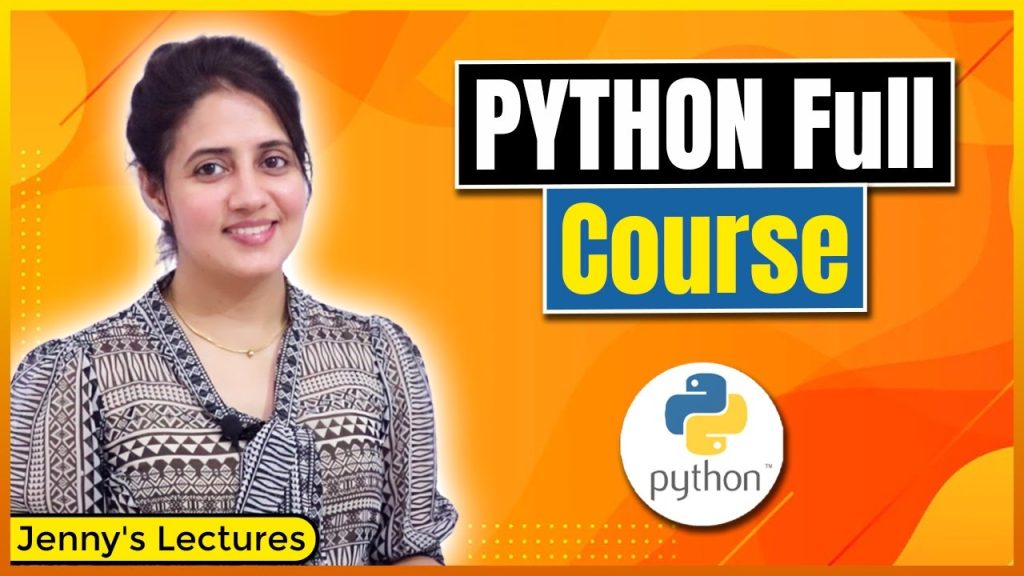
https://www.youtube.com/watch?v=6i3EGqOBRiU Summary: Python for beginners Key Takeaways
If you’re looking for a realistic preview of Python for beginners, this course introduction from Jenny’s Lectures CS IT sets clear expectations. Rather than promising overnight mastery, the creator explains that the course is built for complete newcomers and will include video lectures, quizzes, assignments, and projects that gradually increase in difficulty.
That matters because many beginner programming tutorials skip the messy middle: setup problems, syntax mistakes, low confidence, and inconsistent practice. As demonstrated in the video, this course tries to solve that by starting small and focusing on momentum. The video shows that even a very simple first project can give you the confidence to keep going.
TL;DR: expect a structured learning path, beginner-friendly pacing, practical exercises, and projects that move from basic confidence-builders to more useful portfolio pieces. For readers who want to compare tools and official downloads, you can also check Python.org Downloads and Visual Studio Code.
Key timestamps from the video:
- 0:00 — Course introduction and what you’ll get
- 0:20 — Beginner-friendly promise for students with no coding background
- 1:00 — Lectures, quizzes, query support, coding exercises, and assignments
- 1:30 — Why completing simple projects boosts confidence
- 2:00 — Future projects: games, data analysis, and pattern-related work
- 2:30 — Keep your laptop ready and install the IDE/interpreter
Key Takeaways from the Course
The most useful message in the introduction appears right at 0:00: this is a course about what you will get and how the learning journey will work. According to Jenny’s Lectures CS IT, the course is designed so that even if you don’t know the “ABCD of coding,” you can still begin. That’s a strong signal for true beginners who often hesitate because they assume programming requires prior technical knowledge.
At 0:20, the creator explains that the course will be beginner friendly. That phrase gets used casually online, but here it has a specific meaning: you won’t just watch theory. The structure includes video lectures, query support, quizzes, coding exercises, assignments, and projects. That mix matters because educational research consistently shows that retrieval practice and active application improve retention more than passive review alone. In our experience, beginners who code alongside a lesson remember syntax and logic far better than those who only watch tutorials.
Another standout point comes around 1:30. The creator explains that the first projects may feel almost too simple, but finishing them will boost your confidence. That’s more practical than it sounds. Many learners quit after or weeks because they compare their first script to advanced apps on GitHub. A course that normalizes small wins lowers the dropout risk.
- Objective 1: Make Python approachable for complete beginners.
- Objective 2: Build confidence through small assignments and simple projects.
- Objective 3: Prepare you for more advanced work later, including resume-worthy projects.
As demonstrated in the video, the expectation isn’t just to “understand” Python. It’s to practice daily, complete exercises, and build enough fluency to create something on your own.
Overview of Python Programming
To understand why this course matters, you need a clear picture of what Python actually is. Python is a high-level programming language known for readable syntax, large community support, and broad use across automation, web development, scripting, data analysis, machine learning, testing, and education. In 2026, Python remains one of the most taught and most used languages for entry-level programmers because it lets you write useful code quickly without drowning in boilerplate.
Compared with languages like C++ or Java, Python usually feels easier at the start because the syntax is shorter and less rigid. You can print text, declare variables, create functions, and write conditionals in just a few lines. That doesn’t make Python “easy” in every context, but it does make the first month less intimidating. The video demonstrates that this course takes advantage of that simplicity by focusing on beginner progress instead of theory overload.
Python’s real-world value is another reason courses like this stay relevant. Popular industries using Python include:
- Data and analytics: dashboards, reporting, data cleaning, forecasting
- Software and web: backend services, APIs, testing tools
- Finance: automation, risk analysis, trading scripts
- Cybersecurity: scripting, log parsing, security tooling
- Education and research: simulations, experimentation, notebooks
According to the creator, later projects may include games and analysis of data and patterns. That’s important because those aren’t random examples. They map directly to common beginner pathways: game logic helps you learn loops and conditionals, while data projects introduce libraries like Pandas and NumPy. If you want Python for beginners with practical outcomes, those are useful directions to start with.
Course Structure: What You'll Learn in Python for beginners
At roughly 1:00, the creator gives a simple but useful breakdown of the course structure: video lectures, query support, quizzes, coding exercises, assignments, and projects. That’s a stronger framework than a playlist of disconnected tutorials because it combines explanation, self-checking, and application. If you’re serious about learning programming, that sequence matters. First you learn a concept, then you test what you understood, then you apply it in code.
As Jenny’s Lectures CS IT explains, the project path will move from simple projects to intermediate and high-level projects. The first one or two may not belong on a resume, but they still serve a real purpose: they teach you how to finish something. That finishing habit is underrated. In our experience, the learners who improve fastest aren’t the ones who consume the most content; they’re the ones who repeatedly complete tiny builds.
What might these projects look like? Based on the video’s examples and standard beginner progression, expect work such as:
- Simple projects: calculator, number guessing game, temperature converter, to-do list
- Intermediate projects: quiz app, password generator, file organizer, text analyzer
- Advanced beginner projects: game logic, API-based app, basic web scraping tool, data analysis notebook
The video shows that later projects may involve games, data analysis, and pattern-related tasks. Those are valuable because they expose you to real workflows, not just syntax drills. For example, a data project might teach you CSV handling, cleaning messy values, and producing quick summaries. A game project could strengthen loops, branching, and function design.
If you want to get the most out of the course, follow this sequence:
- Watch a lecture with your laptop open.
- Pause and code every example yourself.
- Take the quiz without looking at notes first.
- Complete the assignment the same day.
- Save your project versions in a folder or on GitHub.
That’s how a beginner course turns into actual skill.
Getting Started: Setting Up Your Environment
At about 2:30, the creator advises you to keep your laptop ready and install the IDE and interpreter. That’s practical advice. A lot of new learners waste their first week watching lessons without writing code. If you want steady progress in Python for beginners, your setup should be done early so you can practice alongside every lecture.
Start with installing Python from the official source: python.org/downloads. Then choose one of these environments:
- PyCharm — great for structured projects and strong beginner-friendly debugging tools. Official site: JetBrains PyCharm
- Visual Studio Code — lightweight, flexible, and widely used for Python plus web tools. Official site: VS Code
- Jupyter Notebook — excellent for data analysis, experimentation, and learning in small code cells. Official site: Jupyter
Jupyter Notebook is especially helpful if you’re planning to explore Pandas, NumPy, charts, or exploratory analysis. You can mix code, notes, and output in one place, which makes it ideal for studying patterns in data. If your focus is scripts or applications, PyCharm or Visual Studio Code may be the better long-term choice.
You should also learn the basics of Git and GitHub early. Git tracks changes to your files, and GitHub lets you store and share those versions online. Even one command workflow helps:
- Create a project folder.
- Run git init.
- Add files with git add .
- Commit with a message like git commit -m “first calculator project”.
- Push to GitHub when you’re ready.
That may sound advanced, but it pays off quickly. It keeps your work organized and starts building the portfolio the creator hints at when discussing stronger projects later in the course.
Essential Python Concepts for Beginners
Every beginner course lives or dies by how well it teaches the fundamentals. Before you touch advanced libraries or APIs, you need a solid grasp of data types, variables, conditionals, loops, and functions. These are the building blocks behind almost every Python script you’ll write.
Start with variables and data types. A variable stores information, and the data type tells Python what kind of information it is. Common beginner types include int for whole numbers, float for decimals, str for text, bool for true/false values, and containers like list and dict. If you don’t understand types early, you’ll run into frustrating bugs later when adding numbers, checking conditions, or processing input.
Then come conditionals. Using if, elif, and else, you tell Python how to make decisions. This is what powers menu systems, game rules, login checks, and input validation. Loops such as for and while help you repeat work efficiently, whether you’re printing numbers, scanning files, or iterating through a dataset.
Finally, functions let you package logic into reusable blocks. That’s how your code stays readable instead of turning into one long script. A good beginner milestone is being able to write a function that accepts input, processes it, and returns a result.
- Practice idea 1: create a bill splitter using variables and arithmetic
- Practice idea 2: build a number guessing game using loops and conditionals
- Practice idea 3: write a reusable function that checks whether a number is even or odd
As demonstrated in the video, these basics shouldn’t stay theoretical. You should code them daily, write your own notes, and complete the exercises instead of assuming recognition equals understanding.
Intermediate Python Techniques
Once the basics feel comfortable, your next step is learning how Python works beyond beginner syntax. The video points toward advanced beginner and intermediate project work, including games and data analysis. That’s where tools like Pandas, NumPy, APIs, web scraping, and object-oriented programming start to matter.
Pandas is the library many beginners meet when working with tables, CSV files, and messy real-world data. You can load a spreadsheet, filter rows, calculate averages, and summarize missing values in a few lines. NumPy supports fast numerical work and arrays, making it useful for scientific computing, matrix operations, and performance-heavy data tasks. If you’re using Jupyter Notebook, these libraries become even easier to explore interactively.
Object-oriented programming, or OOP, teaches you how to organize code using classes and objects. You don’t need OOP on day one, but it’s essential for larger programs. A simple game can benefit from classes like Player, Enemy, or Scoreboard. A business app might use classes for User, Order, or Invoice.
You should also understand how Python works with the outside world:
- APIs let your code request data from another service, such as weather, currency, or movie databases.
- Web scraping helps you collect data from web pages when it’s allowed by the site’s terms and robots rules.
- Automation scripts can rename files, clean folders, send reports, or transform datasets.
According to Jenny’s Lectures CS IT, later course projects may become useful enough to mention on a resume. That’s very believable if your intermediate builds include a data dashboard, an API-driven script, or a polished game project with clean code and documentation.
Common Mistakes to Avoid
Most beginners don’t fail because Python is too hard. They fail because they repeat a few predictable mistakes. Around 6:30 to 7:00 in the outline topic flow, the most relevant warnings are about syntax, indentation, and weak practice habits. Python is readable, but it is also strict. A missing colon, inconsistent spacing, or misspelled variable name can break your code immediately.
Here are the most common beginner errors we see:
- Only watching tutorials instead of typing code yourself
- Ignoring indentation, which Python uses to define blocks of logic
- Confusing strings and numbers, such as adding “5” and 5
- Using vague variable names like x or data1 everywhere
- Writing huge scripts instead of breaking work into functions
- Not reading error messages carefully before asking for help
Debugging is a skill, not a punishment. When your code fails, do this:
- Read the last line of the error first.
- Check the exact line number mentioned.
- Print important variable values before the failure.
- Test one small part of the script at a time.
- Compare your indentation levels carefully.
As the creator explains, practice is essential. That’s not motivational fluff. Daily repetition helps you recognize patterns faster, especially with loops, conditionals, and function behavior. In our experience, students who keep a simple “bug log” improve quickly because they stop making the same mistakes again and again.
Resources for Continued Learning
A good beginner course should start your journey, not end it. Once you’ve covered the lectures and projects, you need reliable places to keep learning. The video itself doesn’t list a long reading library, but the creator does emphasize notes, practice, and completing assignments. That’s a useful foundation for continued growth.
Here are practical resources worth using after or alongside the course:
- Official Python documentation: docs.python.org for syntax, standard library usage, and reference material
- Pandas documentation: pandas.pydata.org for data cleaning and analysis workflows
- NumPy documentation: numpy.org for arrays and numerical work
- GitHub: github.com to publish projects and track your progress
Support communities matter too. If you’re stuck, browse discussions on GitHub issues, developer communities, or programming forums where people explain error messages and code patterns. Just don’t fall into the trap of copying solutions without understanding them. Use community help to learn, not to skip the thinking part.
One of the smartest long-term moves is building a portfolio. Save your best work in public repositories and include a short README for each project. A beginner portfolio doesn’t need apps. Three to five clean projects are enough if they show progression, for example:
- A command-line calculator or quiz app
- A file handling or automation script
- A small game using loops and functions
- A data analysis notebook using Pandas and Jupyter Notebook
- An API-based mini project or a simple web scraping task
According to the video, not every early project belongs on a resume. That’s true. But your later projects absolutely can, especially if they solve a real problem or show consistent improvement.
Frequently Asked Questions
Start with the basics: install Python, pick an IDE like PyCharm or Visual Studio Code, and learn core topics such as data types, variables, loops, conditionals, and functions. As demonstrated in the video, the smartest approach is to keep your laptop ready, code along with each lesson, write your own notes, and finish the assignments.
Is hours a day enough to learn Python?
Yes, hours a day is enough for steady progress if you split the time well. A practical routine is 45 minutes of study, minutes of coding, and minutes of review. According to Jenny’s Lectures CS IT, daily practice matters more than binge-watching long tutorials once in a while.
What kind of job can you get with Python?
Python can help you move into roles like junior developer, automation tester, data analyst, backend developer, QA engineer, support engineer, or scripting specialist. If you later add libraries, GitHub projects, and some real-world work with APIs or data analysis, your options widen even more.
How to learn Python in days?
You can build a strong foundation in days, but not full mastery. A realistic 4-day plan is: Day 1 syntax and variables, Day 2 conditionals and loops, Day 3 functions and file basics, Day 4 one mini project plus debugging review. That gives you momentum, not expertise.
Should beginners use Jupyter Notebook or an IDE?
Use Jupyter Notebook if you want to experiment, learn interactively, or do data analysis. Use an IDE like PyCharm or Visual Studio Code if you want to build scripts, structured applications, and larger projects. Many learners end up using both.
Final Thoughts and Next Steps
If you were wondering what to expect from this course, the answer is refreshingly simple: a beginner-first path into Python programming built around lessons, quizzes, exercises, and projects. The creator explains that early projects may be basic, but they are still worth doing because they build confidence. That’s one of the most honest and useful parts of the introduction.
Your best next step is to turn the course into a routine. Install Python, choose your environment, keep notes, and practice daily with your laptop open. Then complete every assignment, even the small ones. By the time you move from variables and functions into Pandas, NumPy, APIs, or object-oriented programming, you’ll have the habits needed to handle more serious work.
Want a simple action plan?
- Watch the introduction video and bookmark the course channel: original video.
- Install Python and one IDE this week.
- Practice core syntax every day for at least to minutes.
- Finish one tiny project before starting a bigger one.
- Upload your best work to GitHub and track your progress.
That’s how Python for beginners turns into real programming skill in 2026: not through passive watching, but through repetition, project completion, and steady improvement.
Frequently Asked Questions
How do I start learning Python as a beginner?
Start with the basics: installing Python, choosing an IDE, and learning core concepts like variables, data types, loops, conditionals, and functions. According to Jenny’s Lectures CS IT, the best approach is to study a short lesson, write your own notes, and practice immediately on your laptop instead of only watching tutorials.
Is hours a day enough to learn Python?
Yes, 2 hours a day is enough if you use the time well. In our experience, one hour of learning plus one hour of hands-on coding, quizzes, and mini-projects produces better results than passively watching long lectures.
What kind of job can you get with Python?
Python can lead to roles in software development, data analysis, automation, QA, web development, machine learning, and scripting. The creator mentions projects like games and data analysis, which map directly to beginner portfolio work for entry-level jobs and internships.
How to learn Python in days?
You can learn a lot in days, but you probably won’t master Python that fast. A realistic 4-day plan is to cover syntax, variables, data types, conditionals, loops, functions, and one small project, then continue practicing daily to build real confidence.
Should beginners use Jupyter Notebook or an IDE?
Jupyter Notebook is especially useful for data analysis, experimentation, and learning because it lets you run code in small cells and mix code with notes. If you’re building scripts or apps, an IDE like PyCharm or Visual Studio Code is usually a better long-term setup.
Key Takeaways
- Jenny’s Lectures CS IT positions the course as a true beginner-friendly path with lectures, quizzes, assignments, and projects.
- The course emphasizes practice over passive watching, including daily coding, note-taking, and completing exercises.
- Early Python projects may be simple, but they are meant to build confidence before you move into stronger portfolio work.
- A solid setup includes installing Python, choosing an IDE like PyCharm or Visual Studio Code, and learning Jupyter Notebook for data analysis.
- Long-term success comes from mastering fundamentals first, then moving into libraries, APIs, GitHub projects, and resume-ready applications.