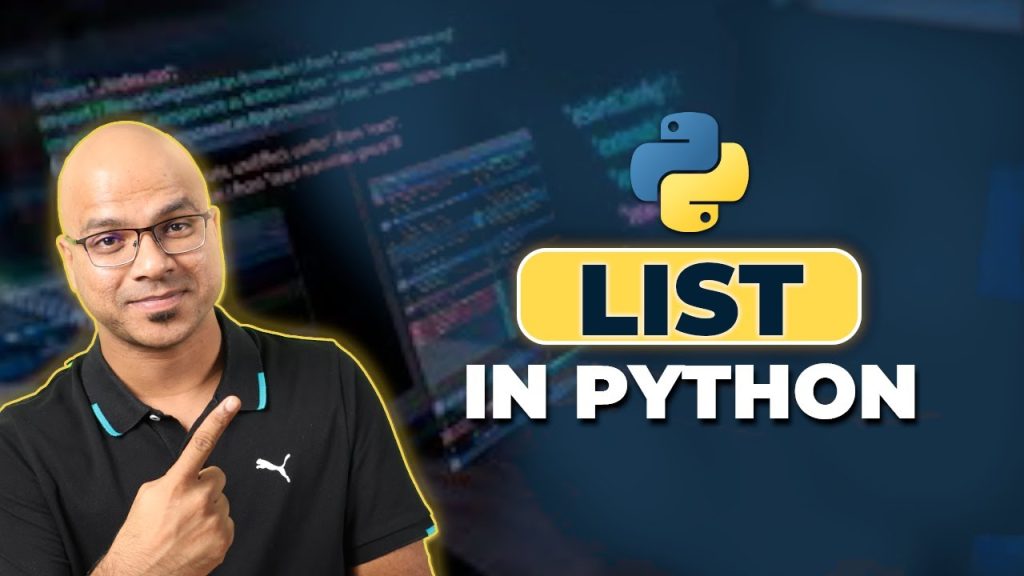
https://www.youtube.com/watch?v=Eaz5e6M8tL4 Summary: Mastering Python Lists for Beginners
Python lists are one of the first data structures you need to master if you want to get comfortable with Python programming. In #5 Python Tutorial for Beginners | List in Python, Telusko explains how to create, access, update, and remove items from lists using beginner-friendly examples. The creator shows not just the syntax, but also why lists matter when you move from single variables to real programs.
This article turns the video into a fuller written guide. You’ll get the main concepts from the tutorial, practical examples, common mistakes, and next-step advice that connects lists to bigger Python topics like loops, if statements, dictionaries, modules, PIP, APIs, data analysis, and machine learning. According to Telusko, lists are flexible, mutable, and much easier to work with than fixed-type arrays in many other languages.
Original video: Watch on YouTube
Channel: Telusko
Official Python documentation: Python list documentation
Python packages index: PyPI
Visual Studio Code Python setup: VS Code Python docs
Key Takeaways from the Video
The fastest way to understand this lesson is to focus on three ideas. First, Python lists let you store multiple values in one place. Second, lists are mutable, which means you can change them after creation. Third, Python lists are more flexible than traditional arrays in languages like C, C++, and Java because they can hold mixed data types in a single structure.
As demonstrated in the video, the basic syntax starts with square brackets. At 00:30, the creator shows a list like [25, 12, 36, 95, 14]. At 03:00, he expands the example to mixed values such as a float, a string, and an integer in one list. That’s a critical beginner insight because many learners assume all collections behave like arrays in statically typed languages.
The video also emphasizes everyday list methods. According to Telusko, methods like append(), insert(), remove(), pop(), extend(), and clear() are the tools you’ll use repeatedly. Those methods become even more useful once you start writing loops, functions, and small applications.
- Create lists with square brackets.
- Access items with positive and negative indexing.
- Modify data because lists are mutable.
- Combine structures using nested lists.
- Prepare for real programming where lists often work alongside dictionaries, loops, and APIs.
If you’re just starting Python in 2026, list skills still matter because they appear everywhere: data analysis scripts, web development back ends, automation tools, machine learning preprocessing, and small command-line programs.
Introduction to Lists in Python
A list is a built-in Python data structure used to store multiple values in a single variable. If you’ve only worked with standalone variables like name = “Ivan” or age = 25, a list is the next step because it gives you a way to manage many related items together. That’s why lists show up early in most Python tutorials for beginners.
The creator explains that lists are somewhat similar to arrays in C, C++, and Java, but with a major difference: Python lists can hold mixed types. In older-style programming languages, arrays usually require one consistent type such as all integers or all strings. In Python, you can store 9.5, “Naveen”, and 25 in the same list. That flexibility makes beginner code easier to write, though it also means you need to be careful about what operations make sense on each item.
Lists are essential because they connect directly to other Python basics. You’ll loop through lists with for loops, filter them with if statements, pass them into functions, and transform them with Python libraries. In real projects, you’ll often use lists alongside dictionaries, comments, modules, and package tools like PIP. Whether you’re using Jupyter Notebook for data analysis, Visual Studio Code for scripting, or an IDE bundled with Anaconda, lists are everywhere.
In our experience, beginners become much more confident once they stop treating lists as a random syntax feature and start seeing them as the default container for everyday Python programming tasks.
Creating Python Lists: Syntax and Examples
The core syntax is simple: use square brackets and separate items with commas. At 00:30, the video shows a classic example: nums = [25, 12, 36, 95, 14]. This is often the first real collection beginners create after learning variables. It looks small, but it introduces several big ideas at once: ordering, indexing, mutability, and grouped storage.
At 01:30, the creator moves from assigning one value to assigning multiple values. This shift matters because many beginner programs start with a single variable and then quickly need to track many inputs. Instead of creating five separate variables, a list keeps them in order and makes later processing much easier.
At 03:00, Telusko demonstrates that Python lists can contain different data types. You might write code like this:
- Numbers list: [25, 12, 36, 95, 14]
- Strings list: [“Naveen”, “Kiran”, “John”]
- Mixed list: [9.5, “Naveen”, 25]
This flexibility is helpful, but you should use it deliberately. If you’re doing data analysis, keeping similar data types together often makes your code cleaner. If you’re building APIs or web development projects, mixed lists can still be useful for temporary data handling, though dictionaries are often clearer for labeled data.
Step by step:
- Create a variable name that describes the list.
- Add square brackets.
- Place values inside, separated by commas.
- Print the list to verify the result.
- Add a comment explaining the list if the purpose isn’t obvious.
That simple pattern works in almost every Python IDE, including Jupyter Notebook, Visual Studio Code, and beginner-friendly desktop editors.
Accessing List Elements in Python Lists
Once you create a list, the next skill is retrieving values. At 04:00, the video shows how indexing works. Python uses zero-based indexing, so the first element is index 0, not 1. If nums = [25, 12, 36, 95, 14], then nums[0] returns 25. This catches beginners all the time, especially if they’re thinking in everyday counting instead of programming rules.
At 05:00, the creator demonstrates negative indexing. That means nums[-1] gives you the last element, which in this example is 14. This feature is one of the nicest parts of Python syntax because it saves you from calculating the final index manually. In practical work, negative indexing is handy when processing logs, reading recent values, or working with lists returned by APIs.
At 06:00, the video covers slicing. A slice such as nums[2:] returns everything from the third item to the end. That’s useful when you need a subset of data without editing the original list. In data analysis and machine learning prep work, slices are often used to separate training examples, trim records, or inspect part of a dataset.
Remember these access patterns:
- First item: my_list[0]
- Last item: my_list[-1]
- Items from index onward: my_list[2:]
- Range of items: my_list[1:4]
As Telusko explains, list access works much like string indexing. That comparison helps because if you already understand string positions, you’re halfway to understanding Python lists too.
Python Lists Operations: Adding and Removing Items
Most real work with Python lists involves change. That’s why mutability matters. At 08:00, the video demonstrates append(), which adds a single item to the end of a list. If you call nums.append(45), the list grows by one item. This is a common pattern when collecting user input, building result sets in loops, or storing API responses one by one.
At 09:30, the creator shows insert(), which takes two arguments: an index and a value. For example, nums.insert(2, 77) places 77 at index and shifts later items to the right. That’s useful when order matters, but you should know that inserting near the beginning of a large list can be slower than appending because Python has to move existing items.
At 11:00, the video turns to removal methods. remove() deletes by value, while pop() deletes by index. If you call nums.remove(14), Python searches for the value 14. If you call nums.pop(1), Python removes the second item. And if you use pop() with no argument, it removes the last item and returns it.
Use the right method for the job:
- append(x) — add one item to the end
- insert(i, x) — add one item at a specific position
- remove(x) — delete the first matching value
- pop(i) — delete by index and return the removed item
- pop() — delete the last item
This matters beyond beginner exercises. In stack-like behavior, as the video shows, pop() mirrors the classic data structures rule of last in, first out. That idea connects directly to broader computer science topics you’ll meet later in programming.
Advanced Python Lists Manipulations
Once you’re comfortable with single-item edits, you’ll want methods that work on larger chunks of data. At 12:30, the creator references extend(), which adds multiple items from another iterable. If you have nums = [1, 2] and use nums.extend([3, 4, 5]), the result becomes [1, 2, 3, 4, 5]. This is cleaner than calling append() again and again in simple cases.
At 13:00, the video mentions clear(), which removes all items from a list but keeps the variable itself. That’s useful in loops, function reuse, or temporary buffers. For example, a web development script may collect form values in a list, process them, and then clear the list before the next batch.
At 14:00, Telusko also shows the del statement. This is slightly different from list methods because it’s a Python statement, not a method attached to the list object. You can delete a single item or a slice such as del nums[2:]. As demonstrated in the video, that can remove everything from a certain index onward.
Practical advice:
- Use extend() when adding many items.
- Use clear() when you want to reuse the same variable name.
- Use del when you need to remove ranges efficiently.
- Use comments to explain destructive changes in beginner code.
These operations become especially useful when you start building scripts that process files, clean data, or prepare lists for Python libraries in analytics and automation workflows.
Nested Lists and Their Applications
One of the most useful ideas in the video appears around 15:30: a list can contain other lists. This is called a nested list. The creator builds an example where one list contains the numbers list and the names list. That means Python lists can represent simple tables, grouped records, or category-based collections without needing a custom class right away.
At 16:30, the lesson implies how nested access works. If mil = [nums, names], then mil[0] returns the first inner list and mil[1] returns the second. To go deeper, you chain indexes. For example, mil[1][0] accesses the first item inside the second list. This indexing style is a foundation for more advanced structures you’ll later see in matrices, CSV-style row handling, and JSON-like API data.
At 17:00, the practical implication becomes clear: nested lists are a light entry point into more complex data structures. In beginner projects, you can use them for:
- Student records: [[“Ana”, 90], [“Ben”, 84]]
- Grid data: game boards or seating maps
- Batch processing: groups of values returned from functions
Still, nested lists aren’t always the best choice. If your data needs labels like name, score, or email, dictionaries usually read better. That’s an important next step after mastering lists, because Python programming for beginners eventually expands into dictionaries, sets, modules, loops, and reusable functions.
Common Python Lists Methods and Mutability
Around 18:30 and 19:00, the video points to more list methods beyond append and pop. Three useful ones are count(), index(), and copy(). These methods help you inspect and duplicate list data without writing extra loops.
count(x) tells you how many times a value appears. If a list of quiz scores contains repeated values, scores.count(100) quickly returns the number of perfect scores. index(x) gives the first position of a matching value. That’s helpful when you need to locate an item before editing or reporting it. copy() creates a shallow copy of the list, which is safer than simple assignment when you want a second version of the data.
At 20:00, the creator explains a key concept: lists are mutable. That means changing one list changes its current contents. Beginners often confuse assignment with copying. If you write b = a, both variables refer to the same list object. If you modify one, the other appears to change too. To avoid that, use a.copy() or slicing like a[:].
Quick method guide:
- count(x) — count occurrences
- index(x) — find first matching position
- copy() — duplicate the list
- sort() — sort in place
- reverse() — reverse in place
This is where Python lists stop being just a syntax lesson and start becoming a practical programming tool.
Best Practices for Working with Python Lists
At 21:00 and 22:00, the video moves into a mindset beginners need: don’t just memorize methods, understand when to use them. The most common mistakes are predictable. Learners forget zero-based indexing, confuse remove() with pop(), assume assignment makes a copy, or store mixed data in ways that become hard to read later.
Better habits make list code easier to maintain:
- Use clear variable names. Prefer scores or user_ids over vague names like x.
- Keep data types consistent when possible. Mixed lists are allowed, but uniform lists are easier to sort, validate, and analyze.
- Check length before indexing. This helps avoid IndexError.
- Use loops instead of repeated manual access. Lists pair naturally with for loops.
- Choose dictionaries when labels matter. Don’t force every data problem into a list.
According to our research and teaching experience, beginners also progress faster when they use the right tools. Visual Studio Code is excellent if you want a full-featured IDE experience. Jupyter Notebook is ideal for data analysis and quick experiments. Anaconda helps when you plan to work with Python libraries for science, machine learning, or notebooks. You’ll also eventually need PIP to install modules and packages.
To push beyond the lesson, try small projects:
- A to-do list manager using append and remove
- A score tracker using nested lists
- A simple API response parser that stores values in lists
- A text analyzer that counts repeated words
From there, you can branch into advanced Python topics: list comprehensions, sorting with custom keys, integrating Python with other languages, and using lists inside web development, automation, and machine learning pipelines.
For more learning, the video points you toward documentation. That’s the right instinct. Read the official Python list docs, keep following the Telusko YouTube channel, and practice in a real editor instead of only watching tutorials. That’s how syntax becomes skill.
Frequently Asked Questions
Start with the basics: variables, comments, input/output, if statements, loops, functions, and simple data structures like lists and dictionaries. Then practice every day in a beginner-friendly IDE such as Visual Studio Code, Jupyter Notebook, or an Anaconda setup, and follow structured YouTube tutorials like Telusko’s Python series while building tiny projects.
Is hours a day enough to learn Python?
Yes. Two focused hours a day is enough for steady progress if you spend at least half that time writing code yourself. In our experience, learners who practice 10-14 hours a week and build small projects improve much faster than those who only watch tutorials.
Is Python coding still worth learning?
Yes, Python is still worth learning in because it remains widely used in web development, data analysis, automation, APIs, scripting, machine learning, and education. Its simple syntax, huge ecosystem of Python libraries, and strong community make it one of the most practical languages for beginners and working developers alike.
Which is the best YouTube channel to learn Python for beginners?
There isn’t one perfect channel for everyone, but Telusko is one of the best YouTube channels for Python beginners if you want clear explanations and short, focused tutorials. Other solid options depend on your goal: some channels are better for data analysis, some for web development, and others for interview prep.
Can Python lists hold different data types?
No restriction forces a list to one type. Python lists can contain integers, floats, strings, booleans, and even nested lists, which is exactly what the video demonstrates. That flexibility makes them beginner-friendly, though you should still organize your data carefully.
Conclusion and Next Steps
If you understand how to create, access, update, and delete items in Python lists, you’ve covered one of the most practical foundations in Python programming. The Telusko tutorial does a strong job of showing the essentials with concrete examples, especially around indexing, negative indexing, append, insert, remove, pop, extend, and nested lists. As demonstrated in the video, the real power of lists comes from their flexibility and mutability.
Your next step should be hands-on practice. Open your IDE, create three lists, perform at least five operations on each, and then write a short function that loops through them. After that, connect lists to the next core topics: dictionaries, loops, if statements, modules, and basic file handling. Once those feel natural, you’ll be ready for Python libraries, APIs, data analysis, and beginner machine learning workflows.
Watching tutorials helps, but writing code is what makes the syntax stick. According to Telusko, and in our experience too, the fastest learners are the ones who test each method immediately and break things on purpose until they understand why the code behaves the way it does.
Frequently Asked Questions
How do I start learning Python as a beginner?
Start with the basics: variables, comments, input/output, if statements, loops, functions, and simple data structures like lists and dictionaries. Then practice every day in a beginner-friendly IDE such as Visual Studio Code, Jupyter Notebook, or an Anaconda setup, and follow structured YouTube tutorials like Telusko’s Python series while building tiny projects.
Is hours a day enough to learn Python?
Yes. Two focused hours a day is enough for steady progress if you spend at least half that time writing code yourself. In our experience, learners who practice 10-14 hours a week and build small projects improve much faster than those who only watch tutorials.
Is Python coding still worth learning?
Yes, Python is still worth learning in because it remains widely used in web development, data analysis, automation, APIs, scripting, machine learning, and education. Its simple syntax, huge ecosystem of Python libraries, and strong community make it one of the most practical languages for beginners and working developers alike.
Which is the best YouTube channel to learn Python for beginners?
There isn’t one perfect channel for everyone, but Telusko is one of the best YouTube channels for Python beginners if you want clear explanations and short, focused tutorials. Other solid options depend on your goal: some channels are better for data analysis, some for web development, and others for interview prep.
Can Python lists hold different data types?
No. Python lists can store mixed data types, so a single list can contain integers, floats, strings, booleans, and even other lists. As the video demonstrates, that flexibility is one reason Python lists feel easier for beginners than arrays in C, C++, or Java.
Key Takeaways
- Python lists are mutable, ordered data structures that let you store and manage multiple values in one variable.
- You can access list items with positive indexes, negative indexes, and slices, which makes retrieval flexible and beginner-friendly.
- Core list methods such as append(), insert(), remove(), pop(), extend(), clear(), count(), index(), and copy() cover most everyday list tasks.
- Nested lists help you represent grouped or table-like data, but dictionaries are often a better choice when values need labels.
- The best way to master Python lists is to practice in a real IDE, connect them with loops and functions, and build small projects immediately.