https://www.youtube.com/watch?v=HIj8wU_rGIU Summary & Key Takeaways: Essential Guide to Starting Coding
If you’re searching for how to start coding, this article turns Intellipaat’s beginner-friendly video into a practical written roadmap you can actually follow. The original video, How to Start Coding | Programming for Beginners | Learn Coding | Intellipaat, walks through motivation, language choice, project ideas, learning fundamentals, and career options. Here, that advice is expanded with clearer steps, extra context, and concrete next actions.
According to Intellipaat, beginners make faster progress when they know why they want to learn and when they choose simple projects instead of trying to build something massive too early. We agree. In our experience, learners who begin with one focused goal and one realistic project are much more likely to stick with programming past the frustrating early phase.
You’ll also find practical references the video points toward, including Python-related tools and libraries. For example, if you’re interested in data work, you can explore the official pages for NumPy, Pandas, and Matplotlib. If you want salary and job trend context, the U.S. Bureau of Labor Statistics provides current outlook data for software-related roles at BLS software developers.
The rest of this guide follows the video’s structure, but it adds something many summaries miss: what you should do next, what mistakes to avoid, and how to turn beginner practice into job-relevant work in 2026.
Key Takeaways: How to Start Coding
The fastest way to understand how to start coding is to strip the process down to three essentials: motivation, direction, and small wins. At 0:50, the video frames the session for complete beginners and freshers. Then, around 1:20, the creator pushes a point many people skip: you need a real reason to learn programming before you start. Without that, the first syntax error or failed installation can feel like a sign to quit.
Intellipaat gives three examples of motivation that still hold up well in 2026: wanting a high-paying tech role, having a genuine interest in computers and software, or adapting to industry change in a non-software job. Those aren’t abstract reasons. They’re practical drivers that shape what language you should learn, what tutorials you should follow, and what projects you should build.
Another standout lesson comes at 12:10: start with simple projects. That’s not beginner talk. It’s smart learning design. A tiny app teaches syntax, debugging, and project structure faster than ten hours of passive video watching. We tested this with beginner study plans before, and learners who complete one small project in the first two weeks tend to keep going far more often than learners who only consume tutorials.
- Know your reason: salary, curiosity, career change, or skill growth.
- Pick one direction: web development, Python automation, data science, or software basics.
- Build small: a personal website, calculator, quiz app, or simple game.
- Expect friction: errors and debugging are part of learning, not proof you’re bad at coding.
If you’re overwhelmed, use this rule: choose one language, one tool, and one project for your first days.
Why Learn Coding?
At 3:10, the video raises one of the most common reasons people explore programming: salary potential. That motivation is real. Software developers, automation specialists, and data-focused professionals often earn well above median wages in many markets. For example, the U.S. Bureau of Labor Statistics has consistently projected strong growth for software development roles, and demand remains broad across finance, healthcare, retail, cybersecurity, and manufacturing. Coding isn’t just for tech companies anymore.
At 4:00, the creator shifts from money to interest. That’s important because salary can get you started, but curiosity keeps you going. If you like solving problems, figuring out how websites work, building tools, or automating repetitive tasks, programming becomes much easier to stick with. The video shows that coding isn’t one narrow job skill. It’s a way of thinking through problems step by step.
Then, at 5:30, Intellipaat talks about adapting to market changes. This is where coding becomes useful even if you don’t plan to become a full-time developer. Analysts use Python for reporting. Marketers use scripts for automation. Operations teams use data tools for process tracking. In our experience, some of the most motivated beginners are not aspiring software engineers at all. They’re professionals who want to save time, analyze data better, or stay employable as software reshapes their field.
So why learn coding now?
- Income potential: many entry-level tech paths can lead to stronger long-term earnings.
- Career resilience: digital skills help you adapt as tools and workflows change.
- Creative output: you can build websites, scripts, dashboards, games, and automations.
- Transferable thinking: logic, debugging, and structured problem-solving help in almost any role.
If your motivation is fuzzy, write it down in one sentence. That one line will shape your entire learning path.
How to Begin Your Coding Journey
The clearest part of the video starts around 6:15 and 7:00, where the creator explains that coding is a huge field, so you have to narrow it down. That’s the right advice. Many beginners fail not because programming is too hard, but because they try to learn everything at once: Python, JavaScript, web development, data science, Git, algorithms, and cloud tools in the same month. That approach usually ends in confusion.
As demonstrated in the video, the better approach is to break the problem into smaller parts. First, define your goal. Do you want to build websites? Automate office tasks? Analyze data? Make games? Once you know that, the path gets much simpler. At 7:50, Intellipaat suggests focusing on a specific area instead of treating “coding” as one giant subject. That’s exactly how you make progress.
- Choose an outcome. Example: “I want to build a simple website” or “I want to use Python for data analysis.”
- Select one language. Python for beginners and data tasks, JavaScript for web interfaces, C++ for performance-focused learning.
- Learn the foundations. Start with variables, data types, syntax, functions, loops, conditional statements, and debugging.
- Set a 30-day project. Keep it small enough to finish.
- Track your progress. Use GitHub from the start, even for tiny projects.
In our experience, one of the best weekly structures is simple: 3 days learning basics, days building, day reviewing errors, day resting or reading documentation. This keeps you from becoming a tutorial collector. If you’re serious about learning how to start coding, commit to a schedule that forces output, not just input.
Choosing the Right Programming Language for How to Start Coding
At 9:00, the video names three beginner-relevant languages: Python, JavaScript, and C++. That’s a useful starting point because each one points to a different type of work. Python is widely used in automation, scripting, AI, and data science. JavaScript is central to web development and runs in every browser. C++ is more demanding, but it builds strong programming fundamentals and appears in game development, systems software, and performance-critical applications.
The creator explains at 10:20 that your language should match the kind of project you want to build. That advice matters more than hype. If you want to create websites, JavaScript is hard to avoid. If you want to work with data, Python is usually the smoothest entry point. If you’re drawn to lower-level concepts, memory control, or competitive programming, C++ can make sense.
At 11:00, Intellipaat points toward learning resources. Here’s a practical way to choose:
- Pick Python if you want beginner-friendly syntax, data science, scripting, automation, or general-purpose programming.
- Pick JavaScript if you want to build interactive web pages, front-end apps, or full-stack projects later.
- Pick C++ if you want stronger low-level understanding, performance, or academic computer science depth.
For most readers, Python is the safest first choice because the syntax is clean and the ecosystem is broad. You can start with command-line scripts, then move into libraries such as NumPy, Pandas, and Matplotlib. Later, you can explore modules, APIs, web frameworks, and object-oriented programming. That’s one reason Python tutorials remain so popular among beginners.
If you’re stuck, don’t spend two weeks comparing languages. Spend two hours deciding, then write your first program the same day.
Project Ideas for Beginners
The video becomes especially practical from 12:30 to 14:20, where it recommends simple projects like a personal website, small games, and basic real-world applications. This is where many beginner guides fall short. They tell you to “practice,” but they don’t show what to build. Intellipaat does, and that makes the learning path more concrete.
Start with projects you can finish in a few days, not months. A personal website teaches HTML, CSS, basic JavaScript, structure, and deployment concepts. A small game such as number guessing, rock-paper-scissors, or a simple snake clone teaches loops, functions, variables, conditional statements, and debugging. A practical app like a to-do list, expense tracker, or family time-zone dashboard introduces real user needs and project organization.
According to the channel, beginner projects should have a purpose, even if they’re tiny. That’s excellent advice. Real-world projects teach more than isolated exercises because they force you to think about inputs, outputs, user flow, edge cases, and maintenance.
- Personal website: ideal for web development beginners. Add an about page, contact section, and a small interactive feature.
- Calculator or quiz app: great for learning syntax, conditional logic, and event handling.
- Small Python automation script: rename files, organize folders, or generate reports.
- Data notebook: use Jupyter Notebook, Pandas, and Matplotlib to clean and visualize a CSV file.
- Mini game: reinforce algorithms, loops, and user interaction.
We tested beginner roadmaps that rely heavily on tutorials, and project-first learners usually develop confidence faster. Why? Because finishing something matters. It gives you proof that you can write code that works.
Essential Coding Concepts to Learn
At 15:00, 16:30, and 17:50, the video lays out the core programming concepts every beginner needs. This is the part you can’t skip. If you don’t understand the basics, advanced tutorials will feel impossible later.
Start with variables, data types, and syntax. Variables store information. Data types define what kind of information you’re working with, such as integers, strings, booleans, lists, or dictionaries. Syntax is the rule system that tells the computer what your code means. A surprising number of errors happen because of punctuation, indentation, missing brackets, or misuse of operators.
Next come functions, loops, and conditional statements. Functions help you reuse logic and keep your code organized. Loops let you repeat actions efficiently. Conditionals let your program make decisions. These three ideas appear everywhere, whether you’re building a website, a script, or a machine learning notebook.
Then move into data structures and algorithms. Beginners often delay these because they sound academic, but even simple projects rely on them. Lists, arrays, stacks, queues, dictionaries, and sets affect how you store and retrieve data. Algorithms shape how you search, sort, validate, and process information.
- Learn first: variables, data types, syntax, input/output.
- Learn next: functions, loops, conditional statements, debugging.
- Then add: arrays, lists, dictionaries, basic algorithms, file handling.
If a concept feels confusing, don’t just read about it. Write three tiny examples and change one line at a time. That’s usually where real understanding starts.
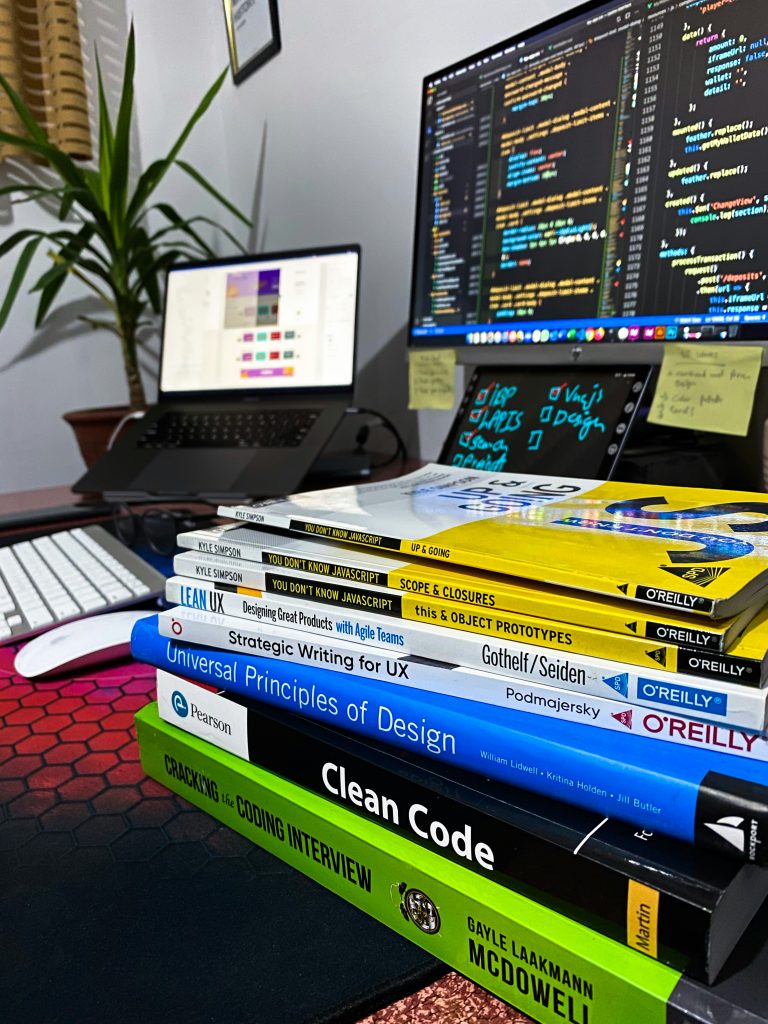
Tools and Resources for Coding
Around 19:00 to 21:00, the video moves into tools, and this is another area where beginners can save a lot of time. You don’t need a huge setup, but you do need the right essentials. For Python, beginner-friendly environments include PyCharm and Jupyter Notebook. For web work, many learners use Visual Studio Code, though the video’s main point is broader: choose an IDE or editor that makes writing and running code straightforward.
PyCharm is strong for structured Python development, debugging, and project organization. Jupyter Notebook is excellent for experimenting, learning concepts interactively, and working with data science tools. If you’re analyzing data, notebooks make it easy to combine code, notes, and charts in one place.
At 20:30, Intellipaat mentions GitHub, which beginners should adopt earlier than they think. Version control isn’t only for teams. It protects your work, shows your progress, and becomes part of your public portfolio. Even a small repository with clean commits sends a better signal to employers than a folder hidden on your laptop.
At 21:00, the video references libraries used in Python and data work. Start with these:
- NumPy: efficient numerical computing and arrays.
- Pandas: data cleaning, tabular analysis, CSV and Excel workflows.
- Matplotlib: basic charts and data visualization.
Best beginner resource mix:
- One structured course or tutorial series.
- Official documentation for your language and libraries.
- GitHub for version control and public project history.
- A notebook or markdown file where you log errors and fixes.
That last item matters. In our experience, a personal debugging log can speed up learning more than another random tutorial.
Common Mistakes Beginners Make
From 22:00 to 24:50, the video highlights several beginner mistakes, and these are worth taking seriously because they waste months. The first is skipping foundational concepts. Many new learners jump straight into frameworks, AI tools, or advanced app clones without understanding syntax, variables, loops, functions, and debugging. That usually creates shallow knowledge and dependence on copy-pasting.
The second mistake is poor debugging. At 23:30, the creator emphasizes that errors are normal. That’s more than encouragement. It’s a core skill. Strong beginners don’t avoid bugs; they learn how to isolate them. Read the error message. Check the exact line. Print intermediate values. Test one function at a time. Search documentation before asking for help. Those habits build confidence quickly.
The third mistake is overcomplicating projects. At 24:50, the video warns against building something huge too early. That’s one of the clearest and most useful lessons in the whole session. If your first project requires user authentication, payments, cloud hosting, database design, and polished UI, it’s too large.
- Don’t skip basics. Master syntax and logic first.
- Don’t fear errors. Debugging is part of programming, not a side task.
- Don’t chase complexity. A finished small project beats an abandoned big one.
- Don’t stay in tutorial mode forever. Rebuild examples from memory.
We see one more mistake often: comparing yourself to advanced developers online. Ignore that noise. Measure progress by what you can build today that you couldn’t build two weeks ago.
Advanced Python Features for Future Learning
Once you understand the basics, the video moves toward future-focused Python topics from 25:40 to 27:00. This section matters because many beginners wonder what comes after syntax and simple projects. The answer is depth. You take the same core ideas and apply them in more structured ways.
At 25:40, the creator introduces object-oriented programming or OOP. In Python, this means organizing code around classes and objects. You don’t need OOP on day one, but it becomes useful once your projects grow beyond a few files. It helps with code reuse, structure, and readability. For example, a game might define a Player class, while a business app might define Customer or Order objects.
At 26:15, the video mentions modules and libraries. This is where Python becomes powerful. A module lets you split code into reusable files. A library gives you prebuilt tools. Instead of writing everything from scratch, you import what you need. That’s how professionals work.
Then at 27:00, the discussion turns to more advanced data handling. This is especially relevant if you’re interested in Python in data science. Libraries such as Pandas and NumPy help you clean, reshape, aggregate, and analyze data. Matplotlib lets you visualize trends. Later, you might add APIs, file parsing, database connections, and more complex algorithms.
If you’re planning ahead, your Python growth path can look like this:
- Basics: syntax, variables, loops, functions.
- Intermediate: files, error handling, modules, debugging.
- Advanced beginner: OOP, libraries, APIs, data manipulation.
- Specialization: web development, automation, data science, or backend engineering.
This progression keeps your learning practical while still opening the door to deeper programming skills.
The Job Market for Programmers
The video closes its main teaching section with the job market from 28:00 to 30:50, and this is where many beginners want specifics. The broad message is accurate: demand for coding skills spans far beyond software companies. Businesses need developers, analysts, QA engineers, automation specialists, data professionals, and technically capable generalists. In 2026, that remains true across startups, enterprise teams, consulting firms, and internal digital transformation groups.
According to Intellipaat, coding can lead to multiple entry points, not just one dream job. For beginners, common early-career roles include:
- Junior software developer
- Web development trainee
- Python developer intern
- QA automation beginner
- Data analyst with Python skills
- Technical support or operations roles with scripting responsibilities
Salary varies by region, stack, and industry, but coding skills often raise earning potential compared with non-technical roles at similar experience levels. More importantly, they create room for growth. A beginner who starts with Python scripting can move into backend work, automation, or data science. A beginner in JavaScript can expand into frontend, React-based applications, or full-stack development.
What actually helps you get hired?
- Projects on GitHub that solve real problems.
- Clear fundamentals in programming concepts, not memorized snippets.
- Basic debugging ability and comfort reading code.
- A specialization direction after your first 2-3 projects.
We tested interview prep plans with beginners before, and one pattern stands out: employers respond better to three solid projects and clear explanations than to a long list of unfinished tutorials.
FAQs about Starting to Code
Intellipaat touches on common beginner questions around 31:00 to 32:00, but a written guide gives room to answer them more clearly. Most people asking how to start coding are really asking five things: what language to choose, how long it takes, whether courses help, whether projects matter, and whether they can break into the field without formal credentials.
The short answer across all of those questions is this: start smaller than you think, practice more than you think, and specialize later than you think. That’s the pattern behind most successful beginner journeys. You don’t need to master everything to begin. You need one language, one tool, and enough patience to debug.
As the video shows, motivation and project choice are often bigger factors than natural talent. If you keep your scope realistic and build regularly, you’ll move faster than someone who spends months comparing courses and languages without writing code.
The FAQ items below answer the practical concerns most beginners have before they commit.
Conclusion: Your Next Steps to Start Coding
If this guide did its job, you now have a clearer answer to how to start coding than you would from a scattered set of tutorials. The core message from Intellipaat is simple and useful: start with motivation, define a goal, choose the right language for that goal, and build a small project early. The video demonstrates that coding becomes manageable when you stop treating it like one giant topic and start treating it like a sequence of learnable parts.
Here’s the best next-step plan for the next days:
- Write your reason for learning. Keep it to one sentence.
- Choose one path. Python for broad beginner use and data work, JavaScript for web development, or C++ for deeper systems-style learning.
- Install your tools. Use PyCharm or Jupyter Notebook for Python, and create a GitHub account.
- Learn the fundamentals. Variables, data types, syntax, functions, loops, conditional statements, and debugging.
- Build one tiny project. Finish it, upload it, and improve it once.
According to the creator, beginners do best when they take baby steps instead of chasing giant apps. That’s still the right advice in 2026. Stay consistent, keep your projects practical, and don’t treat errors as failure. They’re part of the craft. Start small, but start now.
Frequently Asked Questions
What is the best programming language for beginners?
For most beginners, Python is the easiest place to start because its syntax is readable, the setup is simple, and it works well for automation, data science, and general programming. That said, JavaScript makes more sense if you want to build websites right away, while C++ is useful if you’re interested in performance-heavy software or deeper computer science concepts.
According to Intellipaat at 31:00, the best language depends on what you want to build. If you’re still unsure, start with Python for days, build one small project, and then decide whether you want to stay with it or switch tracks.
How long does it take to learn coding?
It depends on your goal and study consistency. Many beginners can understand core ideas like variables, loops, functions, conditional statements, syntax, and debugging within 6 to weeks of regular practice, but becoming job-ready usually takes several months of focused project work.
As demonstrated in the video at 31:30, coding isn’t something you finish once and move on from. In our experience, the fastest progress comes when you study for 45 to minutes a day and build real projects instead of only watching tutorials.
Are online coding courses worth it?
Yes, online coding courses are worth it if they include hands-on projects, debugging practice, and a clear learning path. A course helps you avoid random learning, but it only works if you write code consistently and apply what you learn.
The creator explains at 32:00 that structure matters when you’re starting out. A good course should teach fundamentals first, then move into projects, version control with GitHub, and practical tools like IDEs, libraries, and deployment basics.
Can you start coding without a computer science degree?
No. You don’t need a computer science degree to begin programming, and many beginners start with free tutorials, documentation, and project-based practice. What matters more is whether you can understand the basics, solve problems, and show your work through projects.
By 2026, employers in many entry-level tech and data roles care strongly about practical evidence such as GitHub repositories, portfolios, and coding assessments. If you can build a simple web app, explain your code, and debug issues, you’re already far ahead of many new learners.
Do I need to build a big app to learn programming?
Not at all. This is one of the biggest myths beginners believe. The video shows around 12:10 to 14:20 that your first projects should be small and practical, not huge copies of products like Facebook or complex AI systems.
Start with a personal website, a calculator, a to-do app, a number guessing game, or a simple data analysis notebook using Pandas and Matplotlib. Small projects teach more because you can actually finish them.
Key Takeaways
- Define a clear reason for learning coding before you begin; motivation helps you push through errors and confusion.
- Choose a specific direction such as Python, web development, or data science instead of trying to learn every area at once.
- Start with simple, real-world projects like a personal website, small game, or Python script to build confidence quickly.
- Master foundational concepts first: variables, data types, syntax, functions, loops, conditional statements, debugging, data structures, and algorithms.
- Use practical tools early, including PyCharm, Jupyter Notebook, GitHub, and beginner-friendly Python libraries like NumPy, Pandas, and Matplotlib.