
Ready to embark on a coding journey? This article highlights how you can quickly write your first Python program, all while keeping it simple and fun. You’ll learn to create the classic “Hello, World!” output, a tradition for beginners in the programming world.
In just under a minute, you’ll be equipped with the skills to write a basic line of code. Whether you’re new to programming or just need a refresher, this guide aims to make your entry into Python smooth and enjoyable. Get ready to unlock your coding potential!
Getting Started with Python
What is Python?
Python is a high-level, interpreted programming language that is known for its simplicity, readability, and versatility. Created by Guido van Rossum and first released in 1991, Python has grown to become one of the most popular programming languages globally. Its design philosophy emphasizes code readability, which makes it an excellent choice for beginners and experienced developers alike. The language supports multiple programming paradigms, including procedural, object-oriented, and functional programming, allowing you to approach problems in various ways.
Why Choose Python for Beginners?
Choosing Python as your first programming language has many advantages. Its syntax is straightforward and almost resembles plain English, which reduces the learning curve significantly. You can easily focus on learning programming concepts rather than struggling with complex syntax. Additionally, Python has a robust standard library, which provides many useful modules and functions, enabling you to perform complex tasks without extensive coding. The supportive community and wealth of resources available for learning Python further enhance its appeal. Most importantly, Python is versatile: it’s used in web development, data science, artificial intelligence, automation, and more, making your learning journey relevant to various fields.
Installation Requirements
Before diving into Python programming, you’ll need to check whether your computer meets the installation requirements. Python is available for all major operating systems, including Windows, macOS, and Linux. Ensure that you have a stable internet connection for downloading Python and any necessary dependencies. The installation process is user-friendly, so you won’t require advanced technical skills to set it up. Ideally, having at least 4 GB of RAM and 1 GHz of processor speed will optimize your experience, especially when you start working on more extensive projects.
Setting Up Your Environment
Choosing an Integrated Development Environment (IDE)
Your coding environment is crucial for a smooth programming experience. An Integrated Development Environment (IDE) provides tools to write, test, and debug your code efficiently. For beginners, user-friendly options like PyCharm, Visual Studio Code, and IDLE (which comes bundled with Python) are fantastic choices. Each offers various features, such as syntax highlighting, debugging capabilities, and built-in terminal support. Try out a few IDEs to find the one that best suits your workflow; comfort in your coding space can significantly enhance your learning experience.
Installing Python on Windows, macOS, and Linux
Installing Python is a straightforward process regardless of your operating system. On Windows, you can download the Python installer from the official website and run it, ensuring to check the box that says “Add Python to PATH.” For macOS users, installing Python via Homebrew is one of the easiest methods. Simply open Terminal and execute the command brew install python. If you’re on Linux, you can usually install Python using your distribution’s package manager (for instance, sudo apt-get install python3 for Ubuntu). After installation, verifying the installation by running python --version (or python3 --version) in your terminal will confirm that Python is successfully set up.
Setting Up Your First Project
Once you have installed Python, it’s time to set up your first project! Create a new folder on your computer where you want to store your Python scripts. Open your chosen IDE, and create a new Python file within that folder. You might name it something like hello.py. This will be the workspace where you can write your code, run programs, and test your skills. Project organization is essential, so feel free to create subfolders later when you start exploring more significant projects!
Writing Your First Python Program
Understanding Syntax and Structure
Python’s syntax is clean and intuitive, making it an excellent language for beginners. Each line of code is typically a statement, and you don’t need to use traditional symbols (like semicolons) to terminate statements. Indentation is crucial in Python; it indicates a block of code within functions, loops, and conditionals. Understanding and adhering to Python’s indentation rules is vital for writing valid code and avoiding syntax errors.
The Hello, World! Program Explained
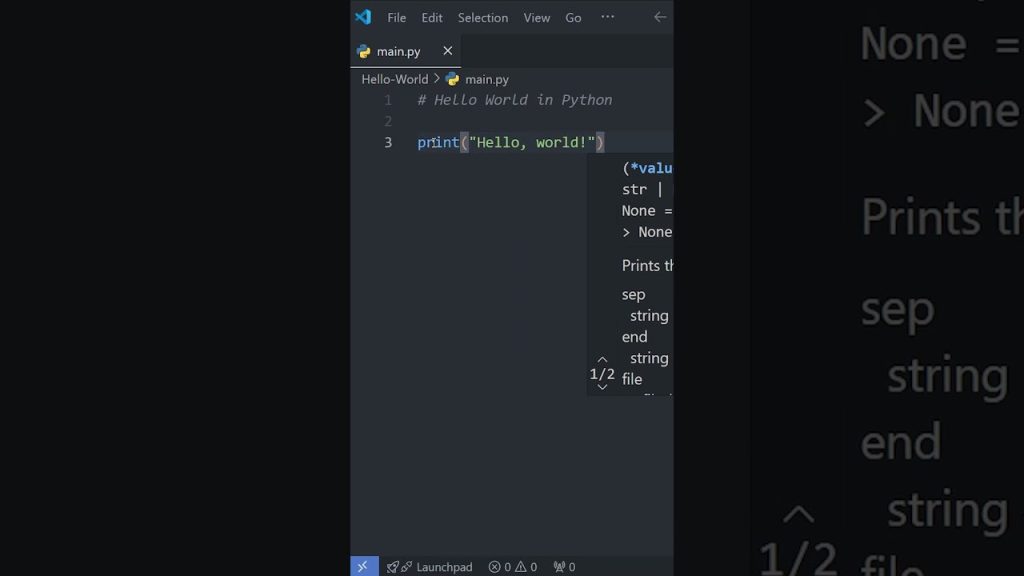
Let’s take your first step into programming by writing the classic “Hello, World!” program in Python. Open the file you created in your IDE and enter the following line of code:
print(“Hello, World!”)
This simple command tells Python to display the text “Hello, World!” on your screen. The print() function is a built-in function in Python that outputs data to the console. It’s a perfect way to familiarize yourself with how Python handles functions, and you’ll use print() frequently as you begin your coding journey.

Running Your First Program
Now that you’ve written your “Hello, World!” program, it’s time to run it. In your IDE, look for a run button (usually represented by a green triangle) or use the terminal command to execute your script:
python hello.py
You should see “Hello, World!” printed on your screen. Congratulations! You’ve just run your first Python program, and that’s a significant milestone in your programming journey.
Understanding Basic Concepts
Variables and Data Types
Variables are fundamental building blocks in Python, and they allow you to store and manipulate data. You can think of a variable as a container for data. You can assign values to variables like this:
name = “Alice” age = 25
Python has several built-in data types, including integers (e.g., 5), floats (e.g., 3.14), strings (e.g., "Hello"), and booleans (e.g., True or False). Knowing these data types helps you manage your data effectively.
Input and Output Functions
Python makes it easy to interact with user input and output. The input() function allows you to prompt users for information. For instance:
name = input(“What is your name? “) print(“Hello, ” + name + “!”)
This snippet asks for the user’s name and then greets them with a personalized message. Input and output functions are essential as they enable you to create interactive programs.
Comments in Code
Writing comments in your code is a good practice that enhances readability. Comments are notes you add to clarify what your code does. In Python, you can write single-line comments by starting a line with the # symbol. For example:
This is a comment explaining that the following line prints a greeting
print(“Hello, World!”)
Comments are not executed as code; they’re there solely for your convenience, helping improve understanding for both you and others who may read your code.
Helpful Tools and Resources

Recommended Online Resources
To support your learning, numerous online resources can assist you. Websites like Codecademy and freeCodeCamp offer interactive courses tailored for beginners. YouTube has many free video tutorials where you can see the coding process in action. Search for topics you want to learn more about to enhance your understanding.
Books for Learning Python
If you prefer a more structured approach with in-depth explanations, consider picking up a book dedicated to learning Python. Titles like “Automate the Boring Stuff with Python” by Al Sweigart or “Python Crash Course” by Eric Matthes are excellent choices. Reading books allows you to learn at your own pace while solidifying your understanding of core concepts.
Community and Support Forums
Don’t underestimate the power of community support when learning to code! Websites like Stack Overflow, Reddit’s r/learnpython, and Python’s official forums are great places to ask questions, share your projects, and learn from others. Joining a community can make your learning path feel less isolating and more engaging.
Common Errors and Troubleshooting
Syntax Errors
As a beginner, encountering syntax errors is common. These errors occur when Python cannot interpret your code. Common culprits include missing parentheses, incorrect indentation, or using the wrong operators. Pay close attention to the error messages; they usually indicate where the problem is and provide hints for fixing it.

Runtime Errors
Runtime errors happen when your code runs but encounters a problem during execution. Examples include dividing by zero or trying to access a non-existent list index. Debugging these issues can be tricky but remember that every programmer makes mistakes; learning to troubleshoot effectively is part of the process.
Debugging Tips
When facing errors, take a systematic approach to debugging. Use print statements to check your program’s state and isolate where things go wrong. Comment out sections of your code to narrow down the source of the issue. Don’t hesitate to ask for help from the community if you’re stuck; collaboration can lead you to solutions faster.
Expanding Your Knowledge
Next Steps After Hello, World!
Once you’ve mastered the “Hello, World!” program, consider exploring more complex concepts, such as loops, conditionals, and functions. Building small projects or challenges is a great way to reinforce your learning. Start with simple calculators or games, allowing you to gradually dive deeper into Python.
Sample Projects for Beginners
Creating mini-projects can solidify your understanding and make learning more enjoyable. Consider building a basic to-do list application, a simple quiz game, or even a text-based adventure game. As you progress, you can introduce further complexity and explore libraries, which will broaden your knowledge.
Exploring Python Libraries
Python boasts a rich ecosystem of libraries that extend its capabilities. Libraries like NumPy for numerical computing, Pandas for data manipulation, and Flask for web development can significantly enhance your projects. Once you’re comfortable with the basics, start exploring these libraries and consider integrating them into your work.
Best Practices for Coding
Writing Clean Code
Writing clean and organized code is essential for both your future self and any collaborators. Use descriptive variable names, follow consistent indentation, and break your code into functions to make it easier to read and understand. The goal is to write code that effectively communicates your thought process to anyone reading it.
Commenting Your Code Effectively
While adding comments, aim for clarity. Explain why you are doing something, not just what you are doing. This approach will help others (and you) understand your reasoning later. Avoid over-commenting; keep it balanced and to the point.
Version Control Basics
As you become more comfortable with Python, consider learning about version control systems like Git. Version control tracks changes to your code, allowing you to collaborate with others and manage project versions more efficiently. This skill is invaluable when working on larger projects or with teams.
Engaging with the Community
Joining Python Meetups and Conferences
Engagement with the Python community can enhance your learning experience. Attend local meetups, workshops, or conferences to connect with other learners and professionals. Meeting people who share your interest can motivate and inspire you to continue your journey.
Participating in Online Coding Challenges
Online coding platforms like HackerRank, LeetCode, or Codewars offer coding challenges that can enhance your skills. These platforms allow you to practice coding problems, compete with others, and explore various topics. They can be an enjoyable way to solidify your knowledge while making coding feel like a game.
Contributing to Open Source Projects
As you gain confidence in your coding abilities, consider contributing to open source projects. Platforms like GitHub host a plethora of projects seeking contributors. It’s an excellent way to gain practical experience, learn from existing code, and connect with other developers. You’ll also acquire skills in collaboration and teamwork that are invaluable in the development world.
Conclusion
Reflecting on Your Learning Journey
As you begin to grasp the basics of Python programming, take a moment to reflect on how far you’ve come. From writing your first line of code to understanding essential concepts, each step is a building block in your programming career. Embrace the journey and celebrate the small victories along the way.
Staying Motivated in Your Coding Practice
Staying motivated can be challenging, especially when you encounter obstacles. Set achievable goals, work on projects that excite you, and find a study buddy or mentor to keep you accountable. Remember, progress takes time, and persistence is key.
Encouragement to Keep Learning
The world of programming is ever-evolving, and there’s always something new to learn. Stay curious and keep exploring. Whether it’s through reading, attending workshops, or building your projects, every bit of practice hones your skills and sets you up for success. The more you learn, the more empowered you become. Happy coding!