
Embarking on your journey to learn Python programming can be an exciting adventure. This article offers a beginner-friendly overview that highlights the essentials of Python, including its significance, installation instructions, and useful tools like VSCode. Understanding the fundamentals will provide a solid foundation, helping you navigate the world of programming with greater confidence.
You’ll explore key concepts such as creating a project folder, mastering basic syntax, and the importance of debugging your code. With Python’s welcoming community and supportive resources, you’ll discover that picking up this programming language can be a rewarding experience, setting you up for success in the tech world.
Understanding Python
Definition of Python
Python is a high-level, interpreted programming language known for its simplicity and versatility. It is designed to be easy to read and write, making it an excellent choice for beginners. Python’s syntax allows developers to express concepts in fewer lines of code than traditional programming languages, thus improving productivity.
History and Development of Python
Python was created by Guido van Rossum and first released in 1991. Van Rossum aimed to design a language that prioritized readability and simplicity, making it accessible for newcomers to programming. Over the years, Python has evolved significantly, with improvements and updates introduced regularly. The language has a robust community that contributes to its continuous growth, making it one of the most popular programming languages today.
Key Features and Characteristics
One of the standout features of Python is its cross-platform compatibility, which means it can run on various operating systems, including Windows, MacOS, and Linux. Python also supports multiple programming paradigms, such as procedural, object-oriented, and functional programming. Additionally, it has a rich ecosystem of libraries and frameworks, which enhance its functionality for various applications, ranging from web development to data science.
Importance of Learning Python
Popularity in the Programming Community
Python has surged in popularity over the past few years, often ranking among the top programming languages. Its popularity is supported by an active and welcoming community, making it easier for beginners to seek help and share knowledge. You will find numerous forums, tutorials, and user groups that contribute to the language’s vibrant ecosystem, fostering collaboration and learning.
Applications in Various Industries
Python is widely used across different fields, including web development, data science, artificial intelligence, machine learning, automation, and scientific computing. Its versatility allows developers to create applications that meet diverse needs, whether it’s building dynamic websites or analyzing complex datasets. This broad applicability makes Python an appealing choice for professionals across various industries.
Career Opportunities and Advantages
Learning Python can significantly enhance your career prospects. As companies increasingly adopt Python for their technological needs, the demand for skilled Python developers continues to rise. Familiarity with Python opens doors to a myriad of job opportunities, including positions as software developers, data analysts, web developers, and automation engineers. Furthermore, Python’s straightforward syntax and massive community support make it easier for you to ramp up your skills and transition into tech roles.
Getting Started with Python
System Requirements for Installation
Before diving into Python programming, you must ensure your system meets the necessary requirements. Python runs efficiently on most modern operating systems, so having a desktop or laptop with processor capacity and basic RAM (at least 4GB) should suffice. Make sure you have administrative rights to install software on your system.
Downloading Python from the Official Site
To start your Python journey, you’ll need to download the latest version from the official Python website. When you go to the site, you’ll find highlighted links for the latest Python release. Selecting the appropriate installer for your operating system—Windows, Mac, or Linux—will direct you to the download page.
Installing Python on Different Operating Systems
The installation process differs slightly depending on your operating system. On Windows, you’ll run the installer and follow the on-screen prompts, ensuring you check the option to add Python to your PATH variable. For Mac users, utilizing the Homebrew package manager will make installation straightforward. Linux users can often install Python directly from their distribution’s package manager with a simple command. After installation, you can verify your setup by running python --version in your command line or terminal.
Setting Up Your Development Environment
Creating a Project Folder
Creating a dedicated project folder helps you stay organized as you begin your programming journey. Choose a name that makes sense to you—perhaps “PythonProjects”—and create it within your Documents folder or another easily accessible location on your computer. Having a designated space for your source code and project files will streamline your workflow.
Introduction to VSCode
Visual Studio Code (VSCode) is a popular code editor among Python developers due to its powerful features and user-friendly interface. It includes rich support for debugging, task running, and version control. VSCode offers numerous extensions that enhance Python development, making it an excellent choice for beginners and experienced programmers alike.
Alternative Code Editors
While VSCode is a fantastic option, several other code editors might suit your preferences. Options such as PyCharm, Atom, Sublime Text, and Jupyter Notebook are also widely used in the Python community. Each has its features and plugins, so it’s worth exploring a few to find the one that fits your style and workflow best.
Python Basics for Beginners
Understanding Python Syntax
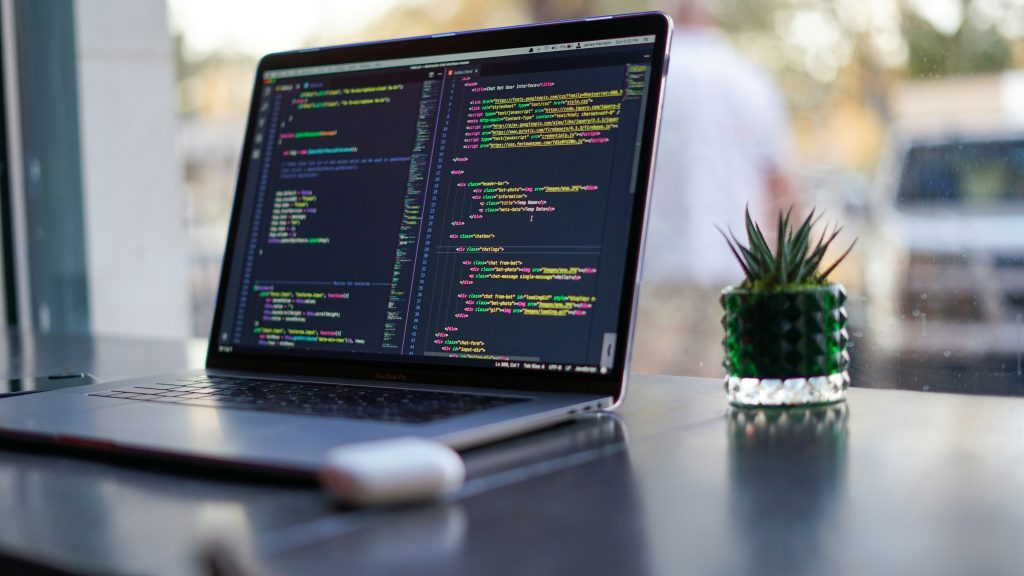
Python syntax is designed to be intuitive, allowing you to focus on coding logic without getting bogged down by complex punctuation or unnecessary symbols. Indentation plays a crucial role in Python, as it defines code blocks instead of using braces or keywords. As a result, maintaining consistent indentation throughout your code is essential for functionality.
Variables and Data Types
In Python, variables are used to store information that can be referenced and manipulated throughout your code. The language supports various data types, such as integers, floats, strings, and booleans. You’ll learn to declare variables and assign values, allowing you to operate on these data types and perform dynamic calculations.
Basic Input and Output Functions
Python makes it easy to collect user input and display output. The input() function allows you to prompt users for information, while the print() function displays output to the console. Understanding how to handle input and output is fundamental for building interactive programs and applications.
Control Structures in Python
Using Conditions (If Statements)
Control structures, such as conditions, allow you to dictate the flow of your program based on specific criteria. If statements are a fundamental part of this, enabling you to execute code when certain conditions are met. You will learn how to formulate both simple and complex conditions to create dynamic and responsive programs.

Looping Structures (For and While Loops)
Loops enable you to execute a block of code repeatedly, which is invaluable when handling tasks that require iteration. Python provides for loops for iterating over collections and while loops for executing code based on a boolean condition. Understanding how to utilize these structures will significantly enhance your programming efficiency.
Understanding Break and Continue Statements
Within loops, the break and continue statements allow you to control the iteration process further. The break statement halts the loop’s execution, while continue skips the current iteration and moves to the next. These control statements offer flexibility in managing the flow of your programs.
Functions in Python
Defining and Calling Functions
Functions are reusable blocks of code that perform a specific task. You can define a function using the def keyword followed by the function name and parameters. Once defined, you can call the function in your code, encapsulating logic that can be reused throughout your program.
Function Parameters and Return Values
Understanding how to pass parameters to functions and return values is crucial. Parameters allow you to provide input to your function, while return values enable your function to send data back to the calling code. Mastering this concept allows you to build modular and structured programs.
Lambda Functions and Their Usage
Lambda functions are small anonymous functions defined with the lambda keyword. They are often used for short, throwaway functions, especially in functional programming contexts. Getting comfortable with lambda functions can enhance the flexibility of your code while keeping it concise.
Debugging Python Code
Common Syntax Errors and Exceptions
Debugging involves identifying and resolving errors in your code. Common mistakes might include syntax errors, such as missing colons or parentheses, and runtime exceptions, which occur during execution. Understanding how to read error messages and traceback will aid in diagnosing problems effectively.
Debugging Process Steps
A systematic debugging process includes several steps: first, identify unexpected behavior; next, inspect your code to understand why the error occurred; then, fix the problem and finally, retest your code. Following this structured approach will enhance your debugging efficiency.
Using Debugging Tools in VSCode
VSCode offers integrated debugging tools that make it easier to identify and resolve issues in your code. You can set breakpoints, inspect variables, and step through code execution, all within the editor. Familiarizing yourself with these tools will help streamline your debugging process.
Advanced Python Concepts
Understanding Modules and Packages
Modules are files that contain Python code, allowing you to organize your functions and classes into reusable components. A package is a collection of related modules, and understanding how to use both will improve your code organization and modularity. You’ll learn how to import modules into your projects, making your programming more efficient.
Introduction to Object-Oriented Programming
Object-oriented programming (OOP) is a programming paradigm centered around objects. Python supports OOP concepts such as classes and inheritance, allowing you to create more complex and relatable representations of real-world entities within your code. Learning OOP can significantly enhance your programming skills and open new avenues for application development.
Working with Libraries like NumPy and Pandas
Python boasts a rich ecosystem of libraries that extend its capabilities. Libraries like NumPy and Pandas are essential for data manipulation and analysis. Familiarizing yourself with these tools can empower you to handle large datasets and perform complex calculations efficiently.
Conclusion
Recap of Key Points
In this article, you’ve gained insight into Python’s definition, history, features, and importance in the programming world. You explored how to get started with installation, set up your development environment, and covered essential Python basics, control structures, functions, debugging, and advanced concepts.
Encouragement for Consistent Practice
As you dive deeper into Python, remember that practice is key. Regularly writing code, experimenting with new concepts, and tackling challenges will solidify your understanding and skills. Don’t be afraid to make mistakes along the way; they are invaluable learning experiences.
Final Thoughts on Starting the Journey in Python Programming
Embarking on your Python programming journey is an exciting and rewarding experience. With determination and consistent effort, you will not only master the language but also open doors to countless opportunities in technology and beyond. Enjoy the learning process, and happy coding!